What is AIStrategyMiner
What the Strategy Miner and the Strategy Builder do, where they run, and what they do not do.
AIStrategyMiner is a set of browser tools for building trading-strategy source code without writing it by hand. The Strategy Miner searches for strategies on past price bars. The Strategy Builder lets you edit a strategy as a flow of blocks and export it as source code for a trading platform.
What you can do
A typical session has four steps.
-
Search. The Strategy Miner tries many combinations of Builder blocks on past bars and keeps the ones that pass a series of checks.
-
Adjust. The Strategy Builder opens a candidate as a flow of blocks on a canvas. You change blocks and settings there. You can also build a flow from scratch or start from one of the 12 templates.
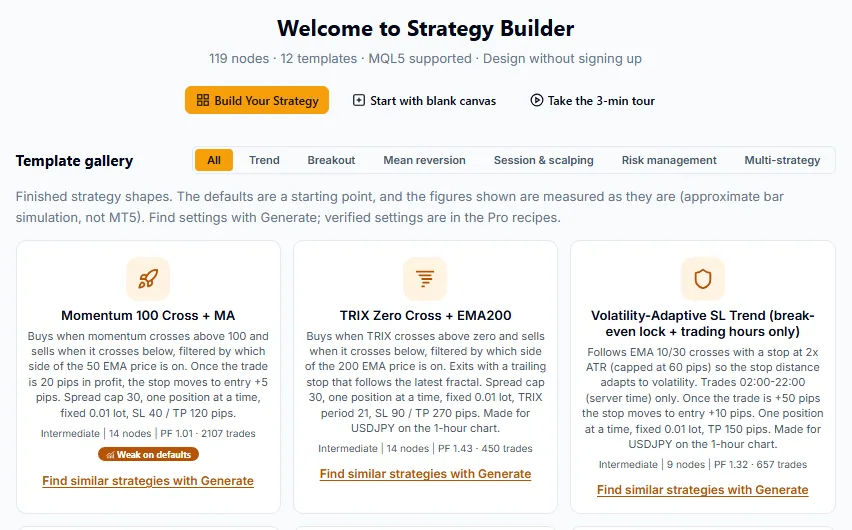
The Builder start screen. It opens without signing in. -
Check. The Builder measures a flow with an approximate backtest. After you export, you check the strategy again in your own platform’s tester.
-
Export. The Builder writes source code for 5 targets: MetaTrader 5, MetaTrader 4, TradingView Pine, cTrader and Python. Export is part of Pro.
Quickstart walks through these steps once: Quickstart.
The parts
| Part | What it does | Where |
|---|---|---|
| Strategy Miner | Searches strategies on past bars and shows how many survive each check. Pro shows the candidates and keeps them in a vault. | /strategy-miner |
| Strategy Builder | Edits a strategy as a flow of 119 block types, measures it, and exports source code (Pro). | /strategy-builder |
| AI connection | An MCP server that lets your own AI assistant check a flow, open the Miner with settings, and read a result summary you hand over. It does not return strategy code. | Connect your AI |
The address of the MCP server is https://aistrategyminer.com/mcp.
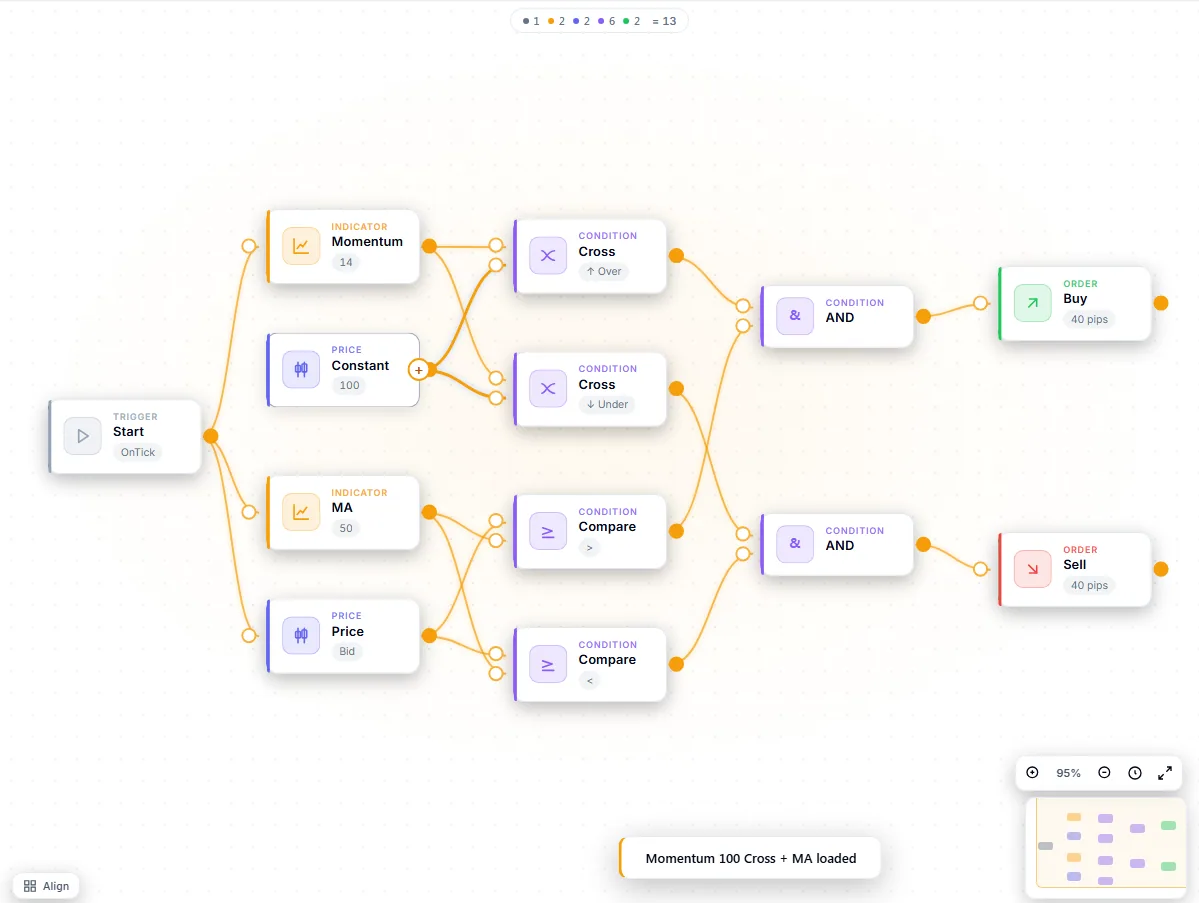
Where it runs
The tools run in a web browser. You install nothing.
- The Miner’s search runs in your browser. It searches 8 built-in symbols. 35 symbols are available in total when you download the extra ones. The timeframes are M15, M30, H1, H4, D1, and a search can cover up to 10 years.
- Some Builder measurements send your flow to our server for the calculation. They need a signed-in account.
- To run an exported strategy you use your own trading platform. For MetaTrader 5 you compile the
.mq5file yourself in MetaEditor.
See Data & privacy for what stays in your browser and what is stored on your account.
What it does not do
- It does not give investment advice and does not recommend a strategy.
- It does not place trades and does not connect to a broker. It produces source code that you run yourself.
- It does not predict results. A strategy that passed every check on past data can lose money later. See Core concepts.
Free and Pro
The canvas, the templates and the Miner demo are free. The full Miner, the vault and the source code are Pro. Pro is a one-time purchase. See Free and Pro.