Limits and safety
Rate limits, how long Builder links and result IDs last, what the MCP server never returns, and how to treat the results.
Rate limits
| Limit | Value | When exceeded |
|---|---|---|
All requests to /mcp | 60 per 60 seconds per IP address | HTTP status 429 with Retry-After: 60 |
get_template | 10 per 60 seconds per IP address | Error rate_limited in the tool result |
get_miner_results | 20 per 60 seconds per IP address | Error rate_limited in the tool result |
| New Builder links | 100 per day, counted for all users together | Error daily_limit from create_builder_link. Try again after the day changes (UTC). |
A single answer from your AI can use several requests, because each tool call counts. If you hit a per-minute limit, wait a minute and try again. The daily limit on new Builder links does not reset after a minute: try again after the date changes in UTC. The limits are set at the network edge and may change.
Builder links made by your AI
create_builder_link saves the flow on the server so the link can open it. The link looks like https://aistrategyminer.com/strategy-builder?share=<id>.
- Lifetime. A link works for 90 days after the flow was first saved. Saving the same flow again does not extend it.
- Same flow, same link. The ID is made from the content of the flow. The same flow always gives the same ID and is stored once.
- No account and no name. The link is not tied to your account and has no owner. Only a short plain-text flow name is kept, up to 64 characters, with other characters replaced by spaces.
- You cannot delete it. There is no delete action for a Builder link. It disappears when its 90 days end. Do not put anything private in a flow.
- Anyone with the link can open it. The ID is hard to guess, but it is not a password.
- Size. A flow may have at most 8 flows, 60 blocks per flow, and 256 KB in total. Only numbers, true or false values and short plain strings are accepted as settings.
The link opens the flow on the canvas. The Strategy Builder may still warn you about it, and the flow is not tested until you run a backtest.
Result IDs from Hand to AI
A result ID is created when a Pro user clicks Hand to AI on the Strategy Miner results screen. The ID expires 30 days after it is created. The person who created it can delete it earlier on the same screen with Delete this id. There is also a daily cap on new summaries, shared by all users.
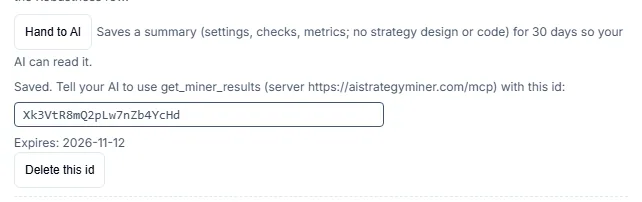
The summary holds settings, check counts and candidate metrics. It does not hold conditions, stop-loss or take-profit values, a flow or code.
What the server never returns
- No MQL5, MQL4, Pine, C#, Python or other source code.
- No compiled files.
- No strategy design from the Strategy Miner. A result summary has metrics only.
- No Pro-only recipes. Pro-only templates are not listed by
list_templatesand cannot be fetched by ID.
Backtesting and the source download happen in the Strategy Builder. The source download is part of Pro.
What the server does not do
- It does not run the Strategy Miner or any backtest.
- It does not export, trade, or connect to a broker account.
- It uses no password or API key. Connecting to it needs no sign-in.
Reading the results
- A flow or a candidate is a strategy design built on past price data. Results are an approximate backtest and do not guarantee future results.
- A rule that fits past data often fits it by chance. Check any candidate on other periods and in a strategy tester before use.
- Nothing your AI says through this server is investment advice. If your AI describes a design as profitable or safe, treat that as its own claim, not a result from AIStrategyMiner.
For everything stored on your account and in your browser, see Data & privacy. The numbers in one table are on Limits.