Tools reference
The seven tools of the AIStrategyMiner MCP server, with what each does, its input fields and what it returns.
The MCP server has 7 tools. Every tool returns its result as one JSON text. When a tool fails, the result is marked as an error and holds an error code or a list of messages. No tool returns source code or compiled files.
| Tool | What it does | Writes anything? |
|---|---|---|
list_node_vocabulary | Lists block types with their settings. | No |
list_templates | Lists ready-made strategies. | No |
get_template | Returns one template as a flow. | No |
validate_flow | Checks a flow and lists errors and warnings. | No |
create_builder_link | Saves a valid flow and returns a Strategy Builder link. | Yes, a shared flow record |
open_strategy_miner | Returns a Strategy Miner link with settings filled in. | No |
get_miner_results | Reads a result summary by ID. | No |
The input tables below are generated from the server’s own definitions in worker/api/mcp.ts. A check in the build fails if this page drifts from them.
list_node_vocabulary
Lists the block types the Strategy Builder supports: indicators, conditions, orders, filters, exits and others. Each entry has the type name, category, label, description, input and output port counts, the settings (key, label, type, options, minimum, maximum and default), and whether the block can be used only once in a flow. Labels are in English.
The result also holds the list of categories, the count of blocks, the flow shape the other tools expect, and a note on ports: connect output_N of one block to input_N of the next, Start has no input, and every block must be reachable from Start.
| Field | Type | Required | Description |
|---|---|---|---|
category | string | No | e.g. indicator, condition, action |
list_templates
Lists the ready-made strategies of the Strategy Builder. Each entry has an id, a name, a description, and portfolio, which is true when the template holds several flows. Pro-only recipes are not listed and cannot be fetched through MCP. Names and descriptions are in English, the same as on the Builder screen in English.
This tool takes no input.
get_template
Returns one template as a flow, in the exact shape that validate_flow and create_builder_link accept. Use it as a model or a starting point. The result has id, name, description and flow (with name, settings and flows).
Errors: not_found when the ID is unknown, and rate_limited when the template limit is exceeded. This tool has its own limit of 10 calls per 60 seconds per IP address.
| Field | Type | Required | Description |
|---|---|---|---|
id | string | Yes | Template id from list_templates |
validate_flow
Checks a flow with the same engine the Strategy Builder uses. The result has valid (true when there are no errors), errors (must fix) and warnings (review). Each item has code, type, severity, nodeId, name, message and flow (the index of the flow it belongs to).
Error codes, as they appear in code:
| Code | Meaning |
|---|---|
| EAB-E201 | Loop |
| EAB-E202 | No Start block |
| EAB-E203 | Unreachable block |
| EAB-E204 | Unconnected input |
| EAB-E205 | Indicator wired straight into an order |
| EAB-E206 | Duplicate single-use block |
If the flow is not in a readable shape at all (for example an unknown block type), the result is an error with valid: false and input_errors, a list of messages. A flow may hold at most 8 flows with at most 60 blocks each, and at most 256 KB in total.
| Field | Type | Required | Description |
|---|---|---|---|
flow | object | Yes | |
flow.name | string | No | Short plain name, letters/digits/spaces |
flow.settings | object | No | Shared EA settings (same shape as get_template settings); omit for defaults |
flow.flows | array of object | Yes | Usually one flow. Several flows = a portfolio EA, one Start node each. |
flow.flows[].nodes | array of object | Yes | |
flow.flows[].nodes[].id | string | Yes | Unique within the flow, e.g. n1 |
flow.flows[].nodes[].type | string | Yes | A node type from list_node_vocabulary |
flow.flows[].nodes[].x | number | No | |
flow.flows[].nodes[].y | number | No | |
flow.flows[].nodes[].data | object (values: string or number or boolean) | No | Parameter values keyed by property key |
flow.flows[].connections | array of object | No | |
flow.flows[].connections[].from | string | Yes | |
flow.flows[].connections[].to | string | Yes | |
flow.flows[].connections[].output | string | No | |
flow.flows[].connections[].input | string | No | |
flow.flows[].settings | object | No |
create_builder_link
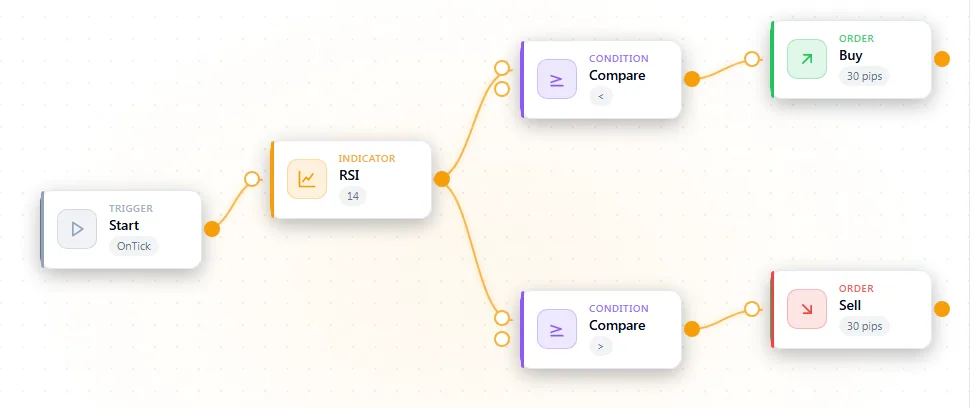
Validates the flow. If it has no errors, the tool saves it and returns a Strategy Builder link that opens it on the canvas. The result has saved: true, url, warnings and next_steps.
If the flow has errors, nothing is saved. The result is an error with errors (same list as validate_flow) or input_errors. When the daily limit is reached, the error is daily_limit. Links last 90 days. See Limits and safety.
| Field | Type | Required | Description |
|---|---|---|---|
flow | object | Yes | |
flow.name | string | No | Short plain name, letters/digits/spaces |
flow.settings | object | No | Shared EA settings (same shape as get_template settings); omit for defaults |
flow.flows | array of object | Yes | Usually one flow. Several flows = a portfolio EA, one Start node each. |
flow.flows[].nodes | array of object | Yes | |
flow.flows[].nodes[].id | string | Yes | Unique within the flow, e.g. n1 |
flow.flows[].nodes[].type | string | Yes | A node type from list_node_vocabulary |
flow.flows[].nodes[].x | number | No | |
flow.flows[].nodes[].y | number | No | |
flow.flows[].nodes[].data | object (values: string or number or boolean) | No | Parameter values keyed by property key |
flow.flows[].connections | array of object | No | |
flow.flows[].connections[].from | string | Yes | |
flow.flows[].connections[].to | string | Yes | |
flow.flows[].connections[].output | string | No | |
flow.flows[].connections[].input | string | No | |
flow.flows[].settings | object | No |
open_strategy_miner
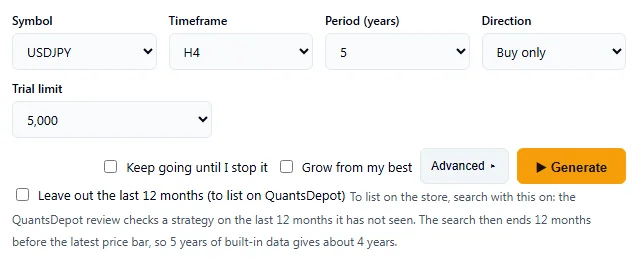
Returns a link that opens the Strategy Miner with settings already filled in. It does not run the generator and does not export anything. You press Generate in the browser. The full generator is part of Pro. Without Pro, the link opens the demo.
The result has:
url: the link.applied: the settings that went into the link.dropped: settings that were left out, each with the field, the value and the reason. A value outside its range, a wrong type, an unknown part name and a contradictory pair (for exampleperiod_minaboveperiod_max) are dropped. They are not rounded or repaired.notices: remarks about the choices that were kept, for example that an add-on symbol needs a one-time price-data download.next_steps: what to tell the user.
Rules for the settings:
- All fields are optional. A link with no field opens the Miner with its defaults.
- Realistic cost settings (
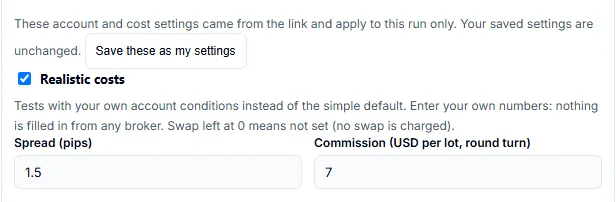
spread_pipstofriday_close_hour) apply for that visit only. They are shown on screen, never overwrite your saved account settings, and take effect only with Pro. The demo ignores them. - Advanced settings (
parts_onlytofilters) are filled into the Advanced section for that visit only and never overwrite your saved advanced settings. Ranges that need two ends (conds_minandconds_max,sl_min_pipsandsl_max_pips,tp_min_pipsandtp_max_pips) are dropped if only one end is given. - The ranges of some fields differ by symbol. Gold (XAUUSD) allows a wider spread. Gold, US Tech 100, US30, DE40, JP225 and the two oil symbols also allow wider stop-loss and take-profit ranges. A value outside the range for the symbol is dropped, and the reason names that range.
trialsin the link accepts 1000, 2000, 5000, 10000 or 20000, the same values as the Trial limit list on the Miner screen.targetonly records the intended export format. You choose the target again in the Builder after you open a candidate.
| Field | Type | Required | Description |
|---|---|---|---|
symbol | string | No | e.g. USDJPY (EURUSD USDJPY AUDUSD USDCAD NZDUSD USDCHF EURGBP GBPUSD; add-on symbols AUDCAD AUDCHF AUDJPY AUDNZD CADCHF CADJPY CHFJPY EURAUD EURCAD EURCHF EURJPY GBPAUD GBPCAD GBPCHF GBPJPY GBPNZD NZDJPY XAUUSD (gold) XAGUSD (silver; 1 lot = 5000 oz, 1 pip = $0.01) USA500IDXUSD (S&P 500 index; 1 lot = 1 index unit, 1 pip = 1 point; data from 2019, no 8/10 years) USATECHIDXUSD (Nasdaq 100) USA30IDXUSD (Dow) DEUIDXEUR (DAX) GBRIDXGBP (FTSE 100) JPNIDXJPY (Nikkei 225; same index definition) LIGHTCMDUSD (WTI crude oil; 1 lot = 1000 barrels assumed, 1 pip = $0.01) BRENTCMDUSD (Brent crude oil; same definition) need a one-time price-data download in the generator) |
timeframe | string | No | H1, H4, D1, M15 or M30 (M15 and M30 use up to 5 years) |
direction | string | No | long (buy only), short (sell only) or both |
target | string | No | mql5, mql4, pine, ctrader or python |
years | number | No | Test period in years: 2-5, or 8 or 10 (long period, Pro only; others get the 4-year demo) |
trials | number | No | Trial limit: 1000, 2000, 5000, 10000 or 20000 |
min_trades | number | No | Minimum trades, 20-1000 |
seed | number | No | Random seed 1-99999 (same seed, same result) |
families | array of string | No | Entry node families: ma, rsi, bb, macd, stoch, donch |
spread_pips | number | No | Realistic costs: spread in pips, 0-50 (0-500 for XAUUSD, whose default is 60) |
commission | number | No | Realistic costs: commission in USD per lot, round turn, 0-100 |
swap_long | number | No | Realistic costs: swap for buys per lot per night, -1000 to 1000 (unit: swap_unit) |
swap_short | number | No | Realistic costs: swap for sells per lot per night, -1000 to 1000 |
swap_unit | string | No | points or money (USD) |
triple_swap_day | number | No | Triple-swap weekday, 1 (Mon) to 5 (Fri); the generator default is 3 (Wed) |
rollover_hour | number | No | Day change hour in server time, 0-23 |
session_start | number | No | New entries allowed from this hour, 0-24 |
session_end | number | No | New entries allowed until this hour, 0-24 |
min_stop_pips | number | No | Broker minimum stop distance in pips, 0-500 |
sl_slippage_pips | number | No | Stop-loss slippage in pips, 0-100 |
gap_fill | boolean | No | Fill at the open when the price gaps past a stop or target |
friday_close_hour | number | No | Friday close hour in server time, 1-20, 0 = off |
parts_only | array of string | No | Advanced: the only indicator parts the search may use (all others are off). Names: ma, rsi, bb, macd, stoch, donch, atr, stddev, wpr, cci, mom, roc, dpo, trix, dem, adx, adxw, rvi, ult, osma, ao, ac, bears, bulls, sar, ha, dema, tema, hma, env, kc, ama, frama, vidya, cons, perf, ichi, alli, gat, ohlc, st, qqe, vldmi, orb, obv, vol, ad, bwmfi, mfi, force, chaikin, vwap. The 46 parts after donch are off by default and slow the search |
parts_more | array of string | No | Advanced: parts to pick more often (naming one that is off by default turns it on) |
parts_less | array of string | No | Advanced: parts to pick less often |
period_min | number | No | Advanced: smallest indicator period, whole number 2-400 |
period_max | number | No | Advanced: largest indicator period, whole number 2-400 (at least period_min) |
period_step | number | No | Advanced: period step, whole number 1-400 |
conds_min | number | No | Advanced: fewest entry conditions, 1-4 |
conds_max | number | No | Advanced: most entry conditions, 1-4 (at least conds_min) |
allow_and | boolean | No | Advanced: allow all conditions must hold (AND) |
allow_or | boolean | No | Advanced: allow any one condition is enough (OR) |
allow_not | boolean | No | Advanced: allow a comparison to be reversed (NOT) |
lookback | number | No | Advanced: how many extra bars back a condition may look, 0-5 |
sl_min_pips | number | No | Advanced: smallest stop loss in pips, whole number 5-300; XAUUSD 200-10000 |
sl_max_pips | number | No | Advanced: largest stop loss in pips, whole number 5-300; XAUUSD 200-10000 (at least sl_min_pips) |
tp_min_pips | number | No | Advanced: smallest take profit in pips, whole number 5-400; XAUUSD 200-10000 |
tp_max_pips | number | No | Advanced: largest take profit in pips, whole number 5-400; XAUUSD 200-10000 (at least tp_min_pips) |
hours_mode | string | No | Advanced: time-of-day filter. off, fixed (use hours_start and hours_end) or random (the search decides) |
hours_start | number | No | Advanced: entry window start hour, server time, whole number 0-23 (with hours_end; implies fixed) |
hours_end | number | No | Advanced: entry window end hour, 0-23, at least 2 hours after hours_start (no overnight range) |
filters | array of string | No | Advanced: extra filters the search may use: sess, wd, gt, hlr, cp, mad |
get_miner_results
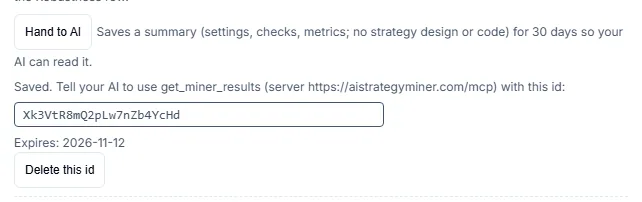
Reads a result summary that a Pro user handed over with the Hand to AI button on the Strategy Miner results screen. You copy the result ID from that screen and give it to your AI. The button is Pro only. The demo has no Hand to AI button, so without Pro there is no ID to give.
The result holds the settings used, the realistic-cost settings if they were on, the totals, a table of how many candidates each check removed and why, the robustness tests, and the metrics of each candidate: search period, later period, other symbols, robustness, drawdown, and bars where the stop and the target were both reached. It holds no strategy design, no conditions and no code.
Errors: not_found when the ID is unknown, expired or deleted, and rate_limited when the limit of 20 calls per 60 seconds per IP address is exceeded. An ID expires 30 days after it is created, and you can delete it earlier on the results screen.
| Field | Type | Required | Description |
|---|---|---|---|
id | string | Yes | The result id the user copied from the results screen |