Example prompts
Prompts you can give your AI assistant once it is connected to AIStrategyMiner, and what happens after each.
These prompts assume your AI assistant is connected as described in Connect your AI. Your AI decides which tools to call. You can name a tool in the prompt if it picks the wrong one. The results are strategy designs and past-data tests. They are not advice, and past results do not guarantee future results.
Open the Strategy Miner with your conditions
Open the Strategy Miner for USDJPY on H4, buy only, 5 years, 5000 trials, minimum 100 trades.
The AI calls open_strategy_miner and gives you a link. Open the link, check the settings on the screen, and click Generate. The AI does not start the run. Without Pro, the link opens the demo, which keeps its own period and trial limit.
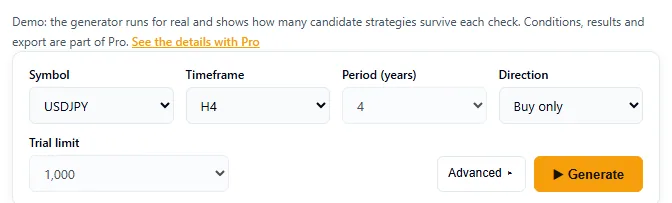
If the AI mentions a dropped setting, a value was outside its range. The AI reads the reason from the dropped list and can try again with a valid value.
Add costs and advanced settings
Open the Strategy Miner for EURUSD on H1 with a 1.5 pip spread, 7 USD commission per lot and Friday close at hour 20. Use only the RSI and moving average parts, with 2 or 3 conditions per entry.
Cost settings and advanced settings in a link apply for that visit only. They do not replace the settings you saved, and they take effect only with Pro.
Read a result and choose the next settings
-
In the Strategy Miner results (Pro), click Hand to AI and copy the result ID.
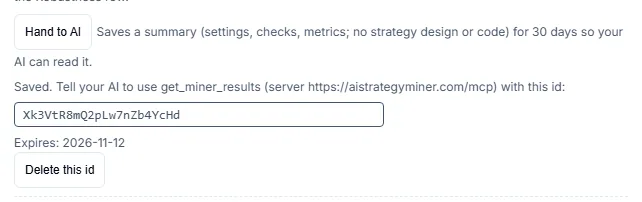
The box shows the ID to copy and when it expires. -
Give the ID to your AI:
Read the Strategy Miner result with this ID:
<paste the ID>. Tell me which checks removed most candidates and which settings you would change for the next run. Give me the new settings as a Miner link.
The AI calls get_miner_results, reads the summary, and proposes new settings as a link made with open_strategy_miner. You decide whether to open it and run it. The summary has no strategy design in it, so the AI can talk about metrics and checks but not about the entry conditions.
Build a strategy and open it in the Builder
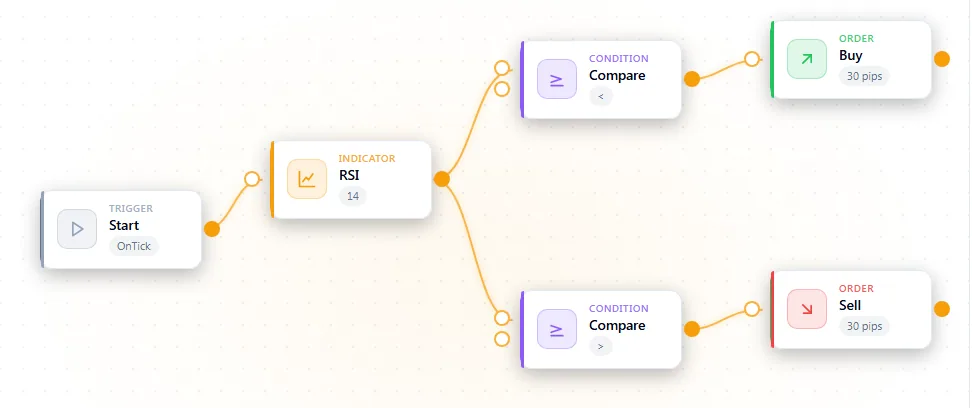
Build an RSI reversal strategy: buy when RSI(14) crosses back above 30, sell when it crosses back below 70. Validate it and give me a Strategy Builder link.
The AI usually looks at a template with list_templates and get_template, checks block names with list_node_vocabulary, composes the flow, runs validate_flow, fixes the errors, and calls create_builder_link. You open the link, check the flow on the canvas, and run a backtest in the Strategy Builder. The AI cannot run the backtest for you.
Start from a template
List your strategy templates. Take the one closest to a moving-average crossover, change the fast period to 10, and give me a Builder link.
Ask what a validation error means
Validate this flow and explain each error in plain words. Do not create a link until there are no errors.
validate_flow returns a code such as EAB-E203 (unreachable block) for each problem. The AI explains it and edits the flow. create_builder_link refuses to save a flow that still has errors.
Tips
- State the symbol, timeframe and direction. The AI cannot guess them.
- Ask the AI to keep a short note of what it changed between versions. Each Builder link is a separate saved flow.
- Treat every result as something to test. Backtest in the Strategy Builder and check other periods before using any strategy on an account.