Overview
What the Strategy Builder screen contains, what is free, and what needs Pro.
The Strategy Builder is a canvas where you build a trading strategy by placing blocks and connecting them. Open it at /strategy-builder. It has 119 blocks and 12 gallery templates.
This page describes how the software works. It is not investment advice, and results on past data do not guarantee future results.
Screen map
The screen has four areas. The header at the top has an EA / Indicator switch. The two modes use separate canvases; see Indicator mode.
| Area | Where | What it holds |
|---|---|---|
| Palette | Left | Nodes: every block, grouped by category, with a search box (Ctrl+K). Below it, Templates: the template gallery. The palette is closed at first. Open it with the grid button at the left of the header. |
| Canvas | Center | The flow you are building. Zoom controls and a block counter are on the canvas. |
| Right panel | Right | Three tabs. Properties edits the selected block. Settings holds options that apply to the whole strategy. Code shows the source (Pro only). |
| Header | Top | Undo and redo, Save (downloads the flow as a JSON file), the export target buttons (MT5, MT4, TradingView, cTrader, Python), Measure, Generate, Download .mq5, List on QuantsDepot, Upgrade (when you do not have Pro), the ⋯ menu (Import, Export, Export Image, Keyboard Shortcuts (F1), Restart Tutorial, Clear), the Help button and a theme switch. |
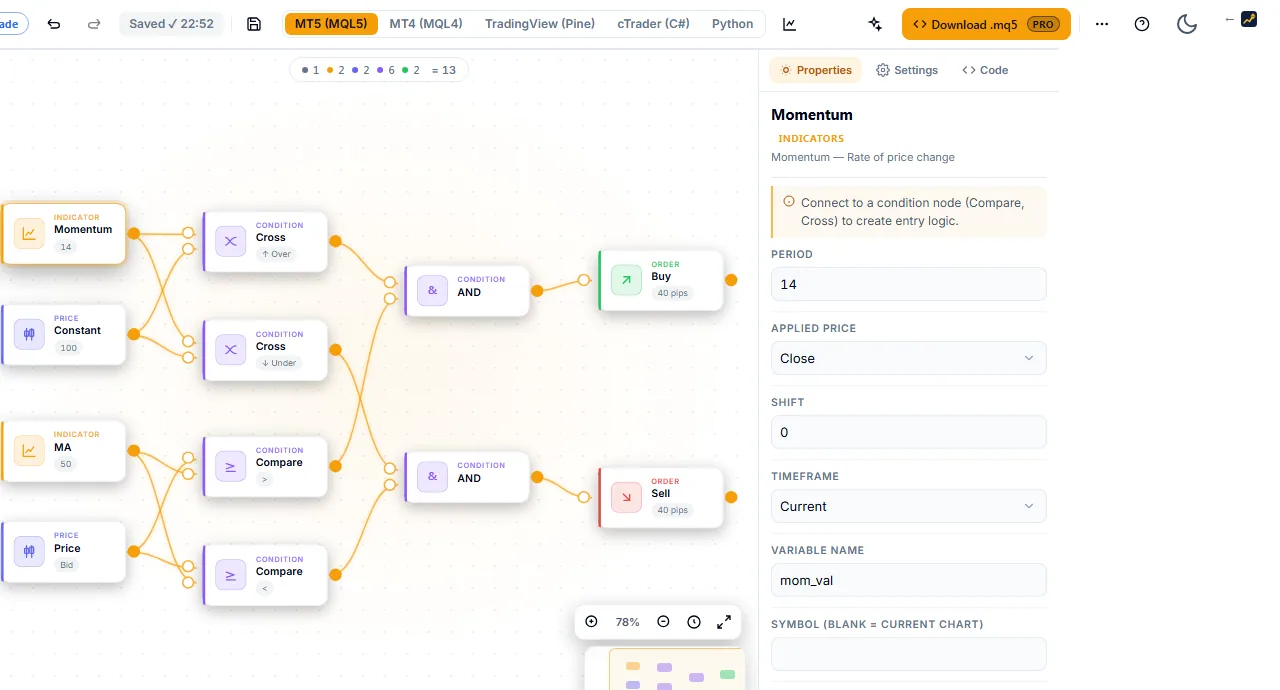
Messages from the checks appear in a validation bar and in a Preflight check panel. See Validation messages.
An empty canvas shows a start screen. It has three buttons: Build Your Strategy, Start with blank canvas and Take the 3-min tour.

Generate in the header opens the Strategy Miner.
What is free
You do not need Pro to:
- Place, connect and configure blocks on the canvas.
- Open any gallery template. See Templates and recipes.
- Read the checks and the Preflight panel.
- Run Measure, an approximate backtest. You need an account with a verified email address, not Pro. See Backtest in the Builder.
- Save flows as JSON files, and import them again.
- Use Indicator mode to build and preview an indicator.
Without an account, the Builder keeps your work in this browser. With an account, you can save projects to the cloud. See Projects.
What needs Pro
Viewing, getting and exporting code is Pro only. Without Pro, the screen shows no code.
- The Code tab shows a lock notice and a one-line placeholder instead of source.
- Download .mq5 (and Ctrl+E) opens a sign-in or upgrade prompt instead of downloading.
- Opening a recipe needs Pro. See Templates and recipes.
- In Indicator mode, the code view, the download and the Use in an EA tab need Pro.
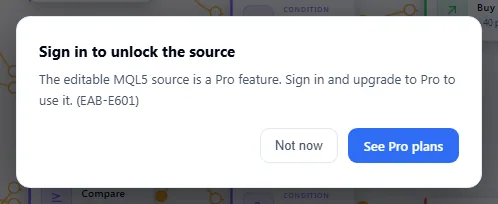
Pro is a one-time purchase ($899); see Pricing.
Next steps
- Learn the controls on Canvas basics.
- See how blocks fit together on How a strategy flow works.
- Follow the Quickstart from a Miner search to a file for MetaTrader 5.