Breakout
Breakout EAs enter when price exits a defined consolidation range or key level with momentum confirmation. They position earlier than crossover trend entries but are exposed to false breakouts in low-volatility markets. In the Builder's baseline, the pending-stop template scored 1.23 against 1.05 for the market-order one.
At a glance
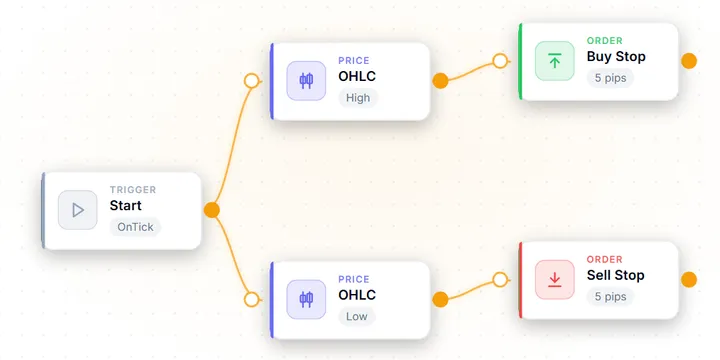
A break of yesterday's range
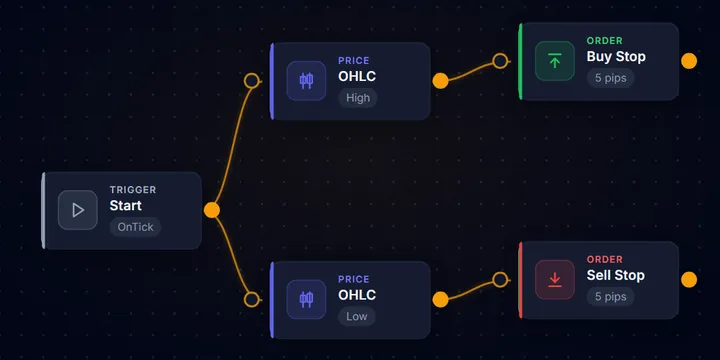
A Buy Stop sits 5 pips above the previous daily high and a Sell Stop 5 pips below the low. An order that never fills simply expires, and the stop-loss goes inside the prior range, because a re-entry is evidence the break failed.
At a glance
The best in-sample setting was a trap
The Builder's pending-stop template on USD/JPY H1, in three windows: 2018–21, 2022–24 and 2025–26. SL 50 / TP 120 peaked at 1.31 but fell to 0.98 in the first window, so SL 30 / TP 120, above 1.0 in all three, was adopted.
Mechanism
The EA defines a consolidation range over a lookback period (e.g. the previous day's high/low, a Donchian channel, or an ATR-band). When price trades or closes outside the range, optionally confirmed by rising ADX or expanding ATR, a trade fires in the breakout direction — at market, or through a stop order parked at the level in advance. Stops are placed inside the prior range; targets are projected by the range's own width (measured-move target) or managed with a trailing stop.
Suitability
Best after a period of low-volatility consolidation when ATR has contracted below its 20-period average. GBP/USD, EUR/USD, and XAU/USD on H1 are natural surfaces. False breakout rate increases during the Asian session when liquidity thins; time-of-day filters are part of the strategy rather than an optimisation. Suitable as a complement to trend strategies — breakout entries provide earlier positioning than crossover-based trend entries — and for traders who can sit through long runs of small stop-outs.
Notes
A breakout EA is an Expert Advisor that waits for price to escape a defined range — most commonly the previous day’s high and low — and trades in the direction of the escape. The bet is that the move out of a long consolidation travels further than most participants expect. It is one of the oldest ideas in automated trading, and one of the most honest to evaluate. The range is objective, the trigger is objective, and the failure mode (the false breakout) is visible on any chart.
It is also a strategy where the mechanics decide more than the idea. The Builder prints a measured baseline on each template card that has one. The two previous-day breakout templates split clearly: the pending-stop version scored well above the market-order version on the identical instrument and window. This page explains how the strategy works, when it earns, the parameters that made the difference in the Builder’s recorded search, and how it breaks.
How a breakout EA works: the mechanism
Every breakout EA answers three questions in code:
1. What is the range? The classic definition is the previous day’s high and low, read on the D1 timeframe (iHigh(_Symbol, PERIOD_D1, 1) in MQL5 terms). Alternatives include a Donchian channel (highest high / lowest low over N bars), a fixed session snapshot (the range as of 09:00 server time), or a volatility band scaled by ATR. The subtle part: “yesterday” is defined by your broker’s server midnight, not by UTC — the same EA on two brokers with different server clocks draws different range boundaries and therefore places different trades. This is a routine source of “why doesn’t my backtest match yours” confusion.
2. What is the trigger? Two mechanically different answers exist:
- Market-order entry — wait for the bid to trade (or a bar to close) beyond the boundary, then buy or sell at market. Simple, but the entry happens after the level, so part of the measured move is already spent, and entering on a close invites slippage in fast markets.
- Pending-stop entry — park a Buy Stop just above the high and a Sell Stop just below the low in advance. The order fills at the level itself the instant it trades. Orders that never fill simply expire — which quietly filters out every day the break never comes.
3. Where are the exits? The stop-loss goes inside the prior range, because a re-entry into the range is evidence the break failed. The take-profit is typically projected from the range’s own width — the measured-move target — or managed with a trailing stop once the move runs.
Market order vs pending stop: what the Builder measured
Both previous-day breakout templates carry a measured baseline on their Builder cards. In our own stock-settings baseline of the Builder’s templates — a single USD/JPY M5 run over one year, default inputs, no optimisation — most finished below a 1.0 profit factor; these two did not.
| Test conditions | |
|---|---|
| Source | Baseline printed on each template card in the EA Builder |
| Symbol / timeframe | USD/JPY M5 (Exness MT5) |
| Period | 2025-06-01 – 2026-06-09 |
| Model | M1 OHLC (bar-level, not real ticks) |
| Deposit / inputs | 10,000, template defaults, no optimisation |
| Re-measured | Pending Order Breakout on 2026-09-19 after an order-placement fix: same window, another USD/JPY account, fixed 20-point spread |
| Template | Entry mechanics | Profit factor | Max DD | Trades | Net result |
|---|---|---|---|---|---|
| Breakout (market order) | Buys/sells at market when price clears the previous daily high/low; SL 50 / TP 100 pips; one position | 1.05 | -1.08% | 240 | +47.24 |
| Pending Order Breakout (stop orders) | Buy Stop 5 pips above the previous daily high, Sell Stop 5 pips below the low, placed 07:00–09:00 server time, 16-hour expiry, 30/10 trailing stop; SL 40 / TP 80 pips | 1.23 | -0.21% | 164 | +38.47 |
Neither number is a recommendation. The lot sizes differ (0.02 against 0.01), so compare the profit factors, not the net results or drawdowns. The gap in profit factor is the lesson. The stop-order variant differs on four mechanical grounds, not one. It fills at the level instead of after it. Its placement window skips the Asian-session churn where false breaks concentrate. Its 16-hour expiry means a day without a genuine break costs nothing. And its trailing stop, which moves only the stop, protects part of a move that fades before the 80-pip target. The table measures that package, not the order type in isolation.
It is also the only one of the two that clears the Builder’s own Measure bar at stock settings. That bar is a profit factor of at least 1.2, at least 60 trades and a drawdown no worse than 20%.
When it works: regime and session
Breakout entries pay in one specific regime — volatility contraction followed by expansion — and bleed in every other:
- Compression first. The strongest breaks come out of unusually narrow ranges. A practical filter: only trade the break when ATR is below its own 20-period average, so the EA stands aside when the market is already extended and there is nothing left to release.
- Session opens are the natural trigger windows. The London open regularly resolves the overnight range on GBP/USD and EUR/USD. That is why the pending-stop template places its orders in a 07:00–09:00 server-time window rather than around the clock.
- Thin liquidity manufactures false breaks. During the Asian session, stops just beyond an obvious range edge are cheap to run and the market rarely follows through. An unfiltered breakout EA donates money in those hours; a time filter is not an optimisation, it is part of the strategy definition.
- Momentum confirmation raises entry quality. A rising ADX or an expanding ATR at the moment of the break distinguishes a directional resolution from a liquidity poke. In the Builder these are ordinary filter blocks you wire in front of the entry.
Against other families: a breakout EA enters earlier than a trend-following EA (which waits for a crossover to confirm) and is the structural opposite of a mean-reversion EA (which fades the very same range edges). That opposition is useful — breakout and reversion systems tend to draw down at different times, which is why a breakout EA is a natural diversifier in a portfolio of fades.
The parameters that matter
Every breakout input either defines the range, gates the entry, or shapes the payoff. The Builder records a three-window search for the pending-stop template on USD/JPY H1 (2018–2021, 2022–2024 and January 2025 – June 2026, re-measured on 2026-09-19): twelve stop-and-target combinations, SL 20–50 × TP 60–120 pips. The table lists the inputs that move results. Only the stop and target were searched; the other values are the template defaults.
| Parameter | Role | Value (USD/JPY H1) | Note |
|---|---|---|---|
| Stop-loss | Failed-break exit | 30 pips (searched) | Inside the prior range; too tight gets clipped by noise |
| Take-profit | Payoff | 120 pips (searched) | With SL 30: profit factor 1.12 / 1.16 / 1.14 across the three windows |
| Placement window | Session gate | 07:00–09:00 server | The template default, left unchanged in the search |
| Entry offset | Anti-fake buffer | 5 pips beyond the level | Filters marginal touches |
| Order expiry | Free no-trade filter | 16 hours | No break, no position |
| Trailing stop | Runner management | 30 pips, 10-pip step | Moves only the stop; locks in part of a move that reverses before the target |
Three results from that search matter more than the values themselves:
The best in-sample setting was a trap. SL 50 / TP 120 scored 1.31 in 2022–2024 and 1.31 in 2025–2026 — and 0.98 in 2018–2021. It was not adopted, because a setting that fails one window has not shown it survives a regime change. The adopted SL 30 / TP 120 is less impressive in any single window and above 1.0 in all three — a textbook case of preferring robustness over the overfitting peak.
The template default is not the robust setting. The stock SL 40 / TP 80 scored 1.20 and 1.16 in the two recent windows and 0.99 in 2018–2021. On the most recent M5 year it still beats SL 30 / TP 120 (1.23 against 1.11), so the default stays and the robust setting is offered beside it. The evidence splits, and the page says so rather than picking the flattering number.
The edge did not transfer across pairs. Earlier cross-tests of the pending-stop settings on EUR/JPY and GBP/JPY both lost money in-sample. A breakout configuration is a per-instrument fit to that pair’s session rhythm and range behaviour — mass-deploying one setting across a basket of symbols is how a modest edge becomes a reliable loss. Separately, the market-order template failed the same three-window check on USD/JPY H1 alone: its best in-sample setting, 1.04, fell to 0.79–0.89 out of sample and 0.64–0.84 on the earlier window.
Failure modes: how breakout EAs break
- The false breakout, structurally. Price pierces the level, fills your order, and folds back into the range. No filter removes this — filters only change the ratio. Expect the majority of entries to be losers by design and verify in the backtest that winners are large enough to carry them.
- Choppy, break-less months. A market that oscillates without resolving ranges is the strategy’s worst environment: repeated small stop-outs with no measured move to pay for them. This is where the drawdown accrues — check how the EA behaved through flat months of history, not just its best year.
- Losing-streak psychology. Low win rate means long streaks are normal, not broken. At a 25–35% win rate, runs of ten or more consecutive losses are an ordinary event over a few hundred trades. The drawdown they leave can take many months to recover while the rule remains intact. If you would switch the EA off mid-streak, the strategy will never get to its winners.
- Broker clock drift. Because the range anchors to server midnight, moving the same EA to a broker with a different server timezone silently changes every range boundary and session window. Re-verify the time filter (and re-backtest) whenever the broker changes; never assume settings are portable.
- Spread and slippage exactly when it matters. Breaks cluster around session opens and news, which is when spreads widen and stop orders fill with slippage. A strategy that only survives at averaged spreads does not survive; test with realistic spread for your account type.
Other breakout shapes in the Builder
The previous-day range is one of several ranges the Builder can break, and the other templates show how much the shape matters. At stock settings on the same USD/JPY M5 baseline:
The OCO Straddle brackets the current price inside a time window and cancels the unfilled leg; it trades often and finishes just under 1.0. Fractal Breakout + ATR, which only trades breaks of the latest confirmed fractal while short-term ATR sits above long-term ATR, scores 0.91 over 259 trades. Inside Bar Breakout sizes its stop and target from the mother bar’s range, trades 0.1 lots — ten times the others here — and scores 0.69 with a -22.54% drawdown. A range-scaled exit at that size can be wider than the account expects. The 3-Strategy Portfolio (Breakout Cluster), which runs three breakout methods together, scored 0.95 in a July 2026 run, before the pending template’s order-placement fix. Every shape is a different strategy, and none of these figures is a promise.
How to build a breakout EA in AIStrategyMiner
The Builder ships both previous-day variants discussed above as templates — “Breakout” (market-order) and “Pending Order Breakout” (stop-order) — so you can reproduce the comparison from this page yourself:
- Load the Pending Order Breakout template. It arrives pre-wired: previous daily high/low blocks, Buy Stop / Sell Stop entries with a 5-pip offset, a 07:00–09:00 time filter, 16-hour order expiry, and a 30/10 trailing stop.
- Translate the window into your broker’s server time. The template’s hours assume the server clock, not yours. Check the gap between your broker’s midnight and the sessions you want, and shift the time filter.
- Set the exits from a rule, not a feeling. The regime-robust USD/JPY value in the Builder’s search was SL 30 / TP 120 pips. Treat it as a starting point to re-verify on your pair, not as portable truth — earlier cross-tests of this template on EUR/JPY and GBP/JPY lost money.
- Add a volatility or momentum gate if your pair needs one. ATR and ADX filter blocks wire directly in front of the entries to skip low-energy days.
- Generate and backtest before anything else. The Builder outputs a ready-to-run MT5 EA with every value above exposed as an input. Run it through the Strategy Tester on quality tick data, then a demo account, before any live deployment.
No breakout configuration carries a performance promise: every figure on this page is a historical backtest measurement, sensitive to spread, broker clock, and regime, and future results can differ. Size positions so that a long losing streak is an annoyance, not an account event. The site’s methodology sets out how backtest results should be read.
Build a breakout from blocks and re-check the clock
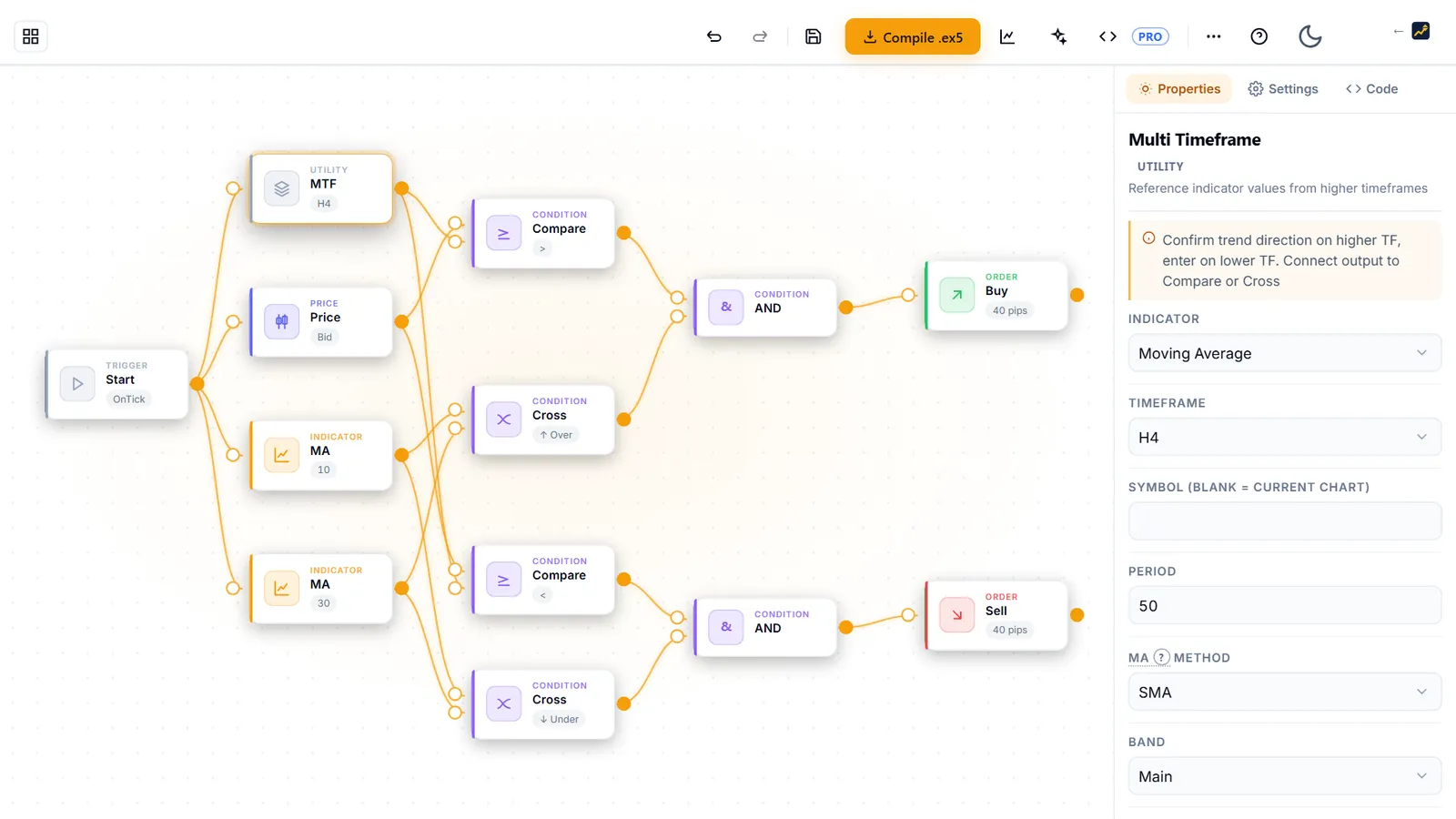
The previous-day high and low, Buy Stop and Sell Stop orders with an offset, a session window, an expiry and a trailing stop are all blocks in AIStrategyMiner Builder. Wire them, move the window to your server's clock, and test on tick data.
- Compile a standard .ex5 file for MetaTrader 5 and test it on tick data before you rely on it.
Check the finished EA in MetaTrader 5 before you trust it. The numbers on this page come from what you typed; they are not a forecast of results.
Related articles
Frequently asked questions
- Do breakout EAs actually work?
- At default settings, rarely — and that is measurable. In our own stock-settings baseline of the Builder's templates — a single USD/JPY M5 run over one year, default inputs, no optimisation — most finished below a 1.0 profit factor. The two previous-day breakout templates are among the exceptions: the market-order version finished at 1.05 and the pending-stop version at 1.23. The edge, where it exists, is modest and comes from the mechanics: stop orders at the level, a session window, and order expiry. It has to be validated per pair — earlier cross-tests of the pending-stop template on EUR/JPY and GBP/JPY lost money in-sample.
- What win rate should I expect from a breakout EA?
- Low — often far lower than new users expect, and that is not a defect. A breakout EA takes many small stop-outs on false breaks and pays for them with a few breaks that run. With the pending-stop template's 40-pip stop and 80-pip target, break-even before costs is a 33.3% win rate. Its trailing stop moves only the stop — the 80-pip target stays — so it locks in part of moves that reverse before the target rather than letting winners run further. Judge a breakout EA by profit factor, payoff ratio and worst losing streak, never by win rate alone.
- Is a breakout EA better with market orders or pending stop orders?
- Pending stop orders, in our measurement — with a caveat about what else differs. A stop order placed at the range edge fills at the level itself, while a market-order entry waits for price to trade beyond it and gives up part of the move. In the Builder's baseline the market-order template scored a profit factor of 1.05 over 240 trades and the pending-stop template 1.23 over 164, on the same instrument and window (the pending template re-measured on another USD/JPY account). The pending template also adds a 07:00–09:00 placement window, 16-hour expiry, a trailing stop and different exits, so the gap reflects the whole package, not the order type alone.
- What is the difference between a breakout EA and a trend-following EA?
- Timing and payoff shape. A trend EA waits for confirmation — a moving-average crossover fires well after the move has started — while a breakout EA positions at the boundary where the move begins, so it enters earlier but suffers more false starts. Both are low-win-rate, long-payoff strategies; the breakout version concentrates its risk around specific levels and times of day, which makes session filters matter far more than they do for a crossover system.
- Can I build a breakout EA without coding?
- Yes. The AIStrategyMiner Builder ships several breakout templates, including a market-order previous-day breakout and a pending-stop version with a time window, order expiry and trailing stop, and each generates a compilable MT5 Expert Advisor with every parameter exposed as an input. Load a template, set the session window to your broker's server time, and backtest it before anything else.
Glossary