USD/CAD — “Loonie” — is the one major that trades its commodity as much as its calendar. It moves inversely to WTI crude oil, so a barrel that spikes or collapses can drag the pair against whatever the Bank of Canada and the Fed appear to be signalling. The first thing to decide is whether your strategy wants a pair whose loudest driver sits outside the FX economic calendar, or merely tolerates it. A system built to trade policy alone is trading with one eye shut here.
This page covers what USD/CAD gives an automated strategy that a pure-policy major does not, the sessions that decide its results, and what it costs. It then covers the failure modes that catch systems ported over from EUR/USD, and how to build and test a Loonie EA of your own.
How USD/CAD Behaves: What Loonie Gives an EA
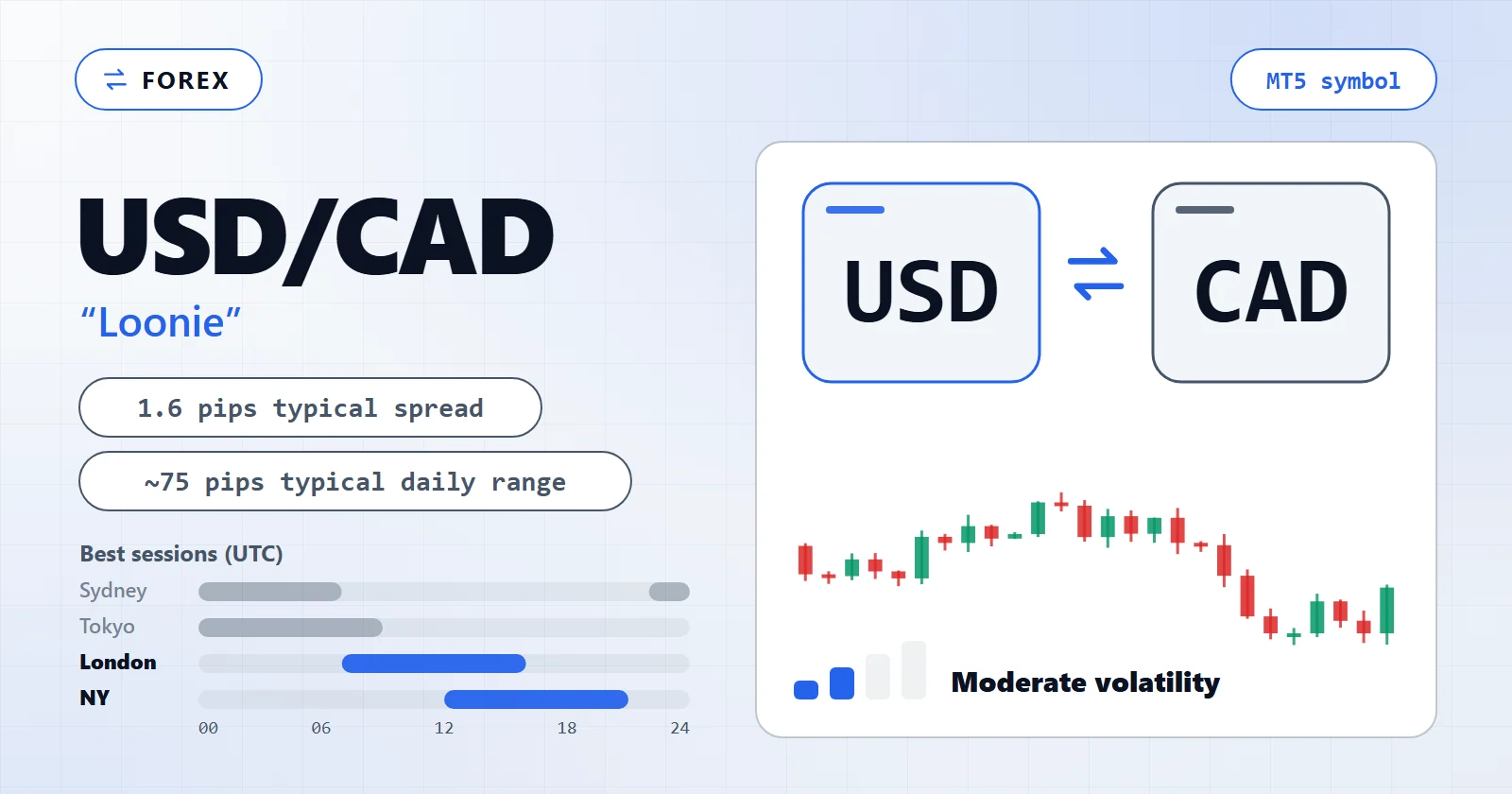
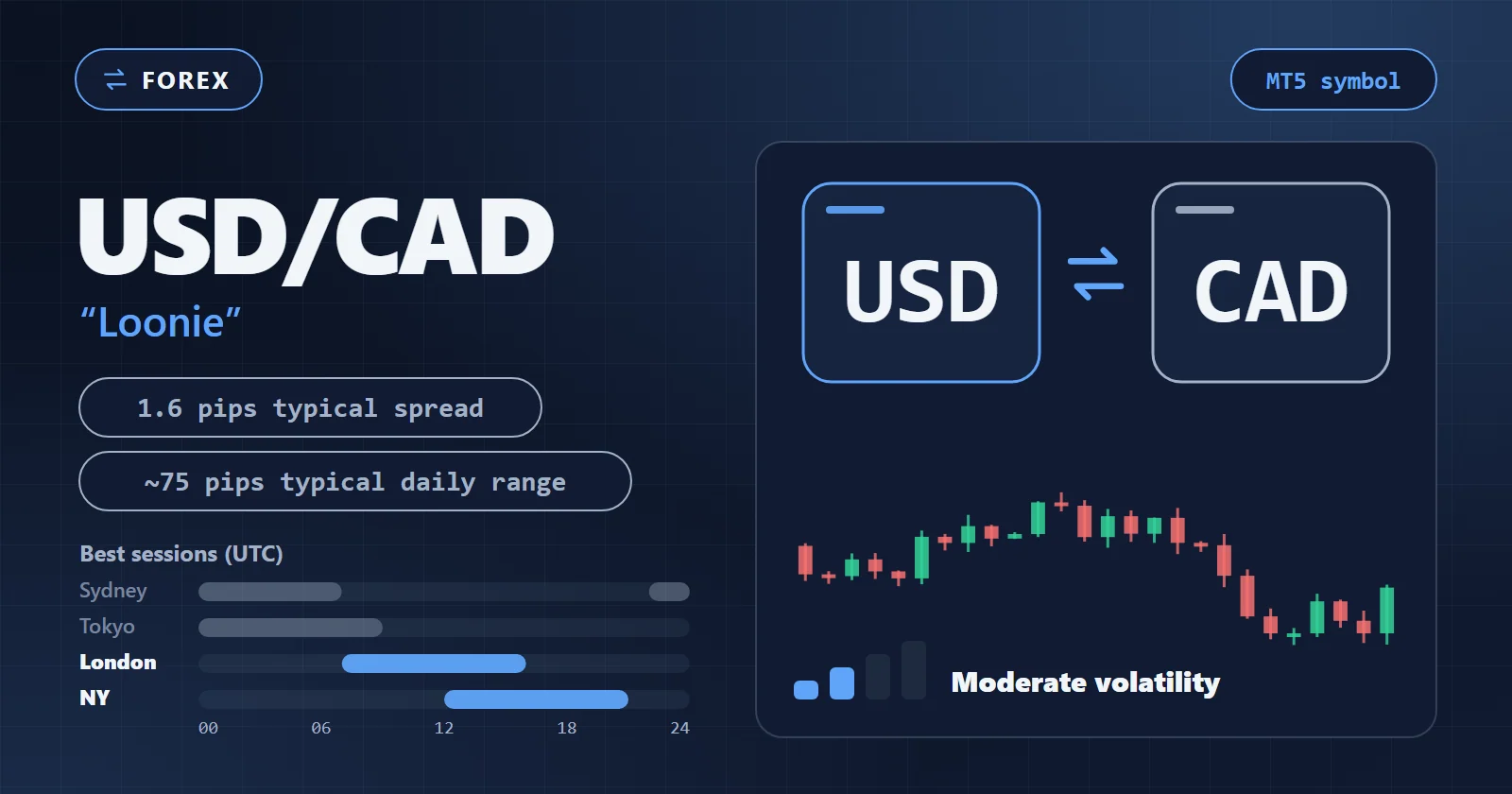
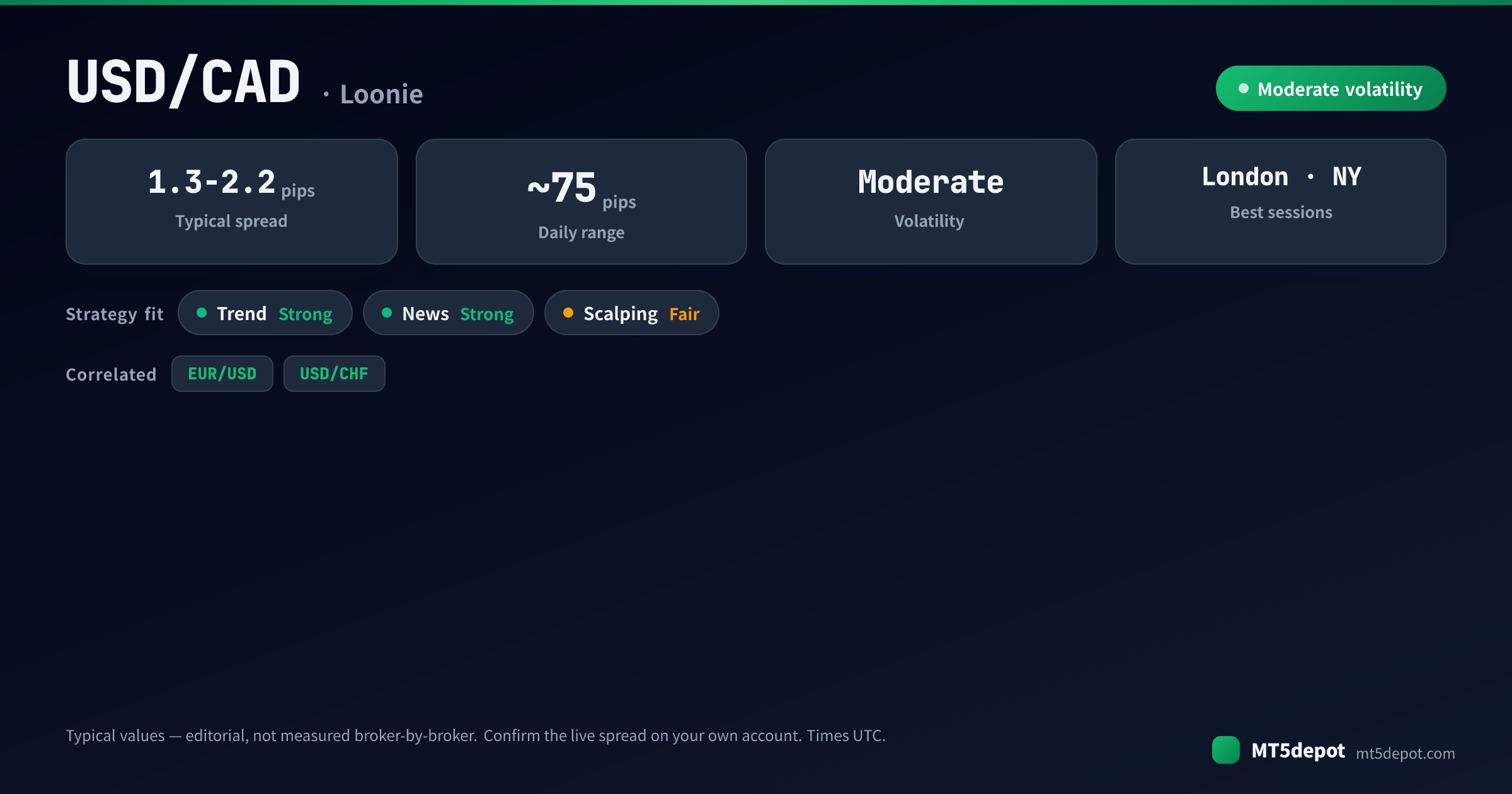
USD/CAD is nicknamed “Loonie” after the loon on the Canadian dollar coin. Canada’s role as a major crude exporter is what shapes the pair’s whole character. Its typical daily range is near 75 pips — labelled typical, not measured broker-by-broker. That puts it below the more volatile GBP or JPY crosses but firmly in tradable territory for a trend or news system.
For an EA, that character reduces to three properties:
- A second driver the FX calendar doesn’t list. USD/CAD moves inversely to WTI crude, and in our editorial assessment that link is strong enough to override Bank of Canada or Fed positioning in the space of an hour. No other USD major carries a commodity this directly wired into its price, which means a Loonie EA reasoning only from interest-rate expectations is reasoning from half the inputs.
- A wider standard spread than EUR/USD. The pair’s typical standard spread runs in the 1.3–2.2 pip range — wider than the tightest EUR/USD conditions — so the cost of every round trip is structurally higher. That is a rounding error for a swing EA and a recurring tax for anything targeting small moves.
- A NY-session concentration. USD/CAD does most of its work when US data, BoC releases, and the North American oil pit are all live at once. The overlap gives trend and news EAs a dense window of catalysts rather than a smooth 24-hour drift.
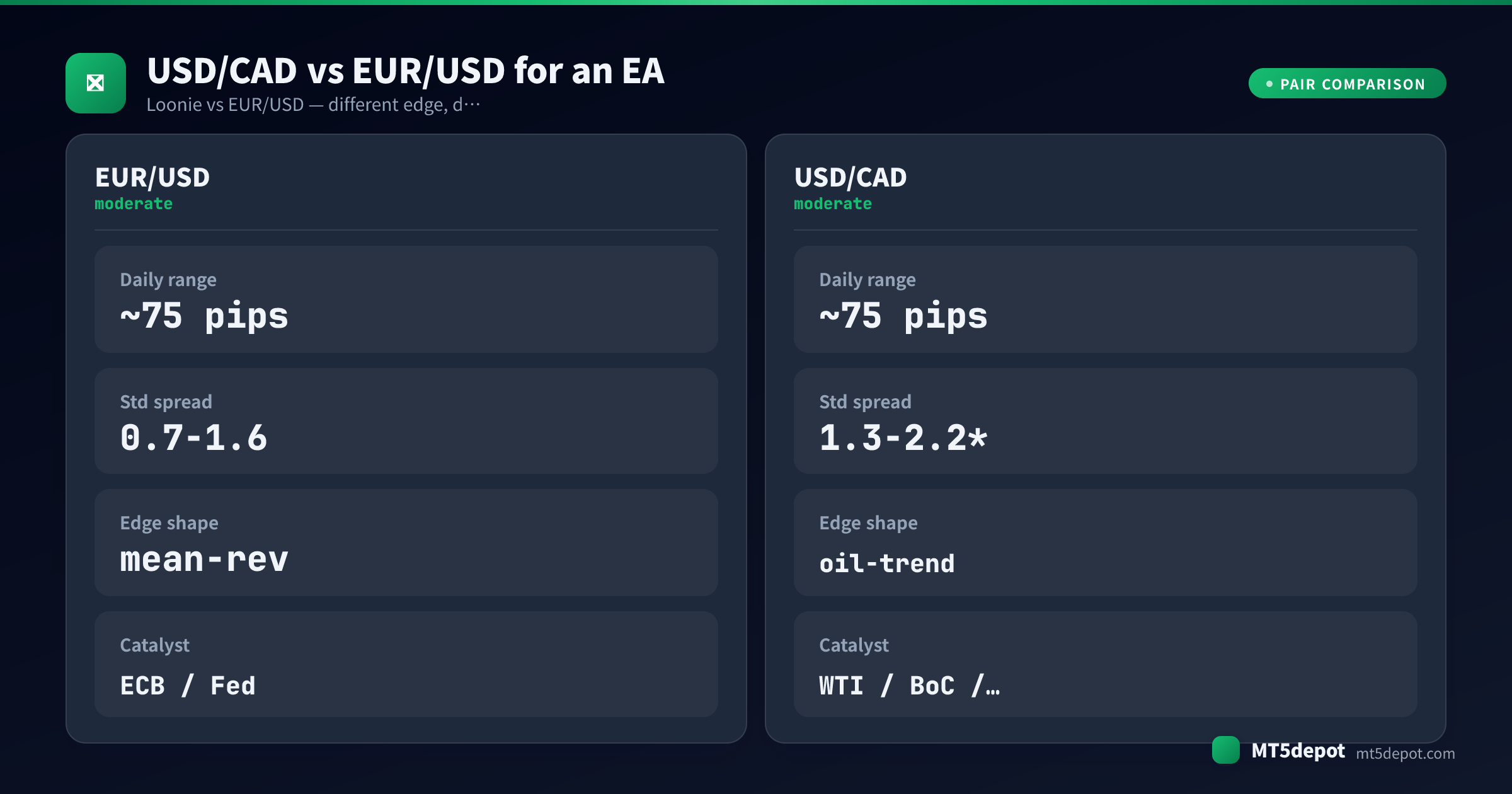
The trap for automated strategies is that the crude link is invisible to a backtest that only replays price. A EUR/USD-shaped system can look clean on USD/CAD history and still be blind-sided live by an oil-inventory print it never learned to fear. The driver never appeared in its indicator inputs. Loonie rewards systems that respect its commodity leg and quietly drains ones that assume a policy-only major.
Which EA Strategies Suit USD/CAD?
The pair’s profile lists trend and news as its natural fits — but suitability is a hypothesis, not proof. In our own stock-settings baseline of the Builder’s templates — a single USD/JPY M5 run over one year, default inputs, no optimisation — most finished below a 1.0 profit factor, and that run was not on USD/CAD. Almost none cleared the Builder’s own bar at stock settings, so treat any edge on USD/CAD as something your own settings and test have to earn — through its mechanics, not the indicator on the box. What Loonie’s character supports specifically, in our editorial assessment:
| Strategy | Fit on Loonie | Why |
|---|---|---|
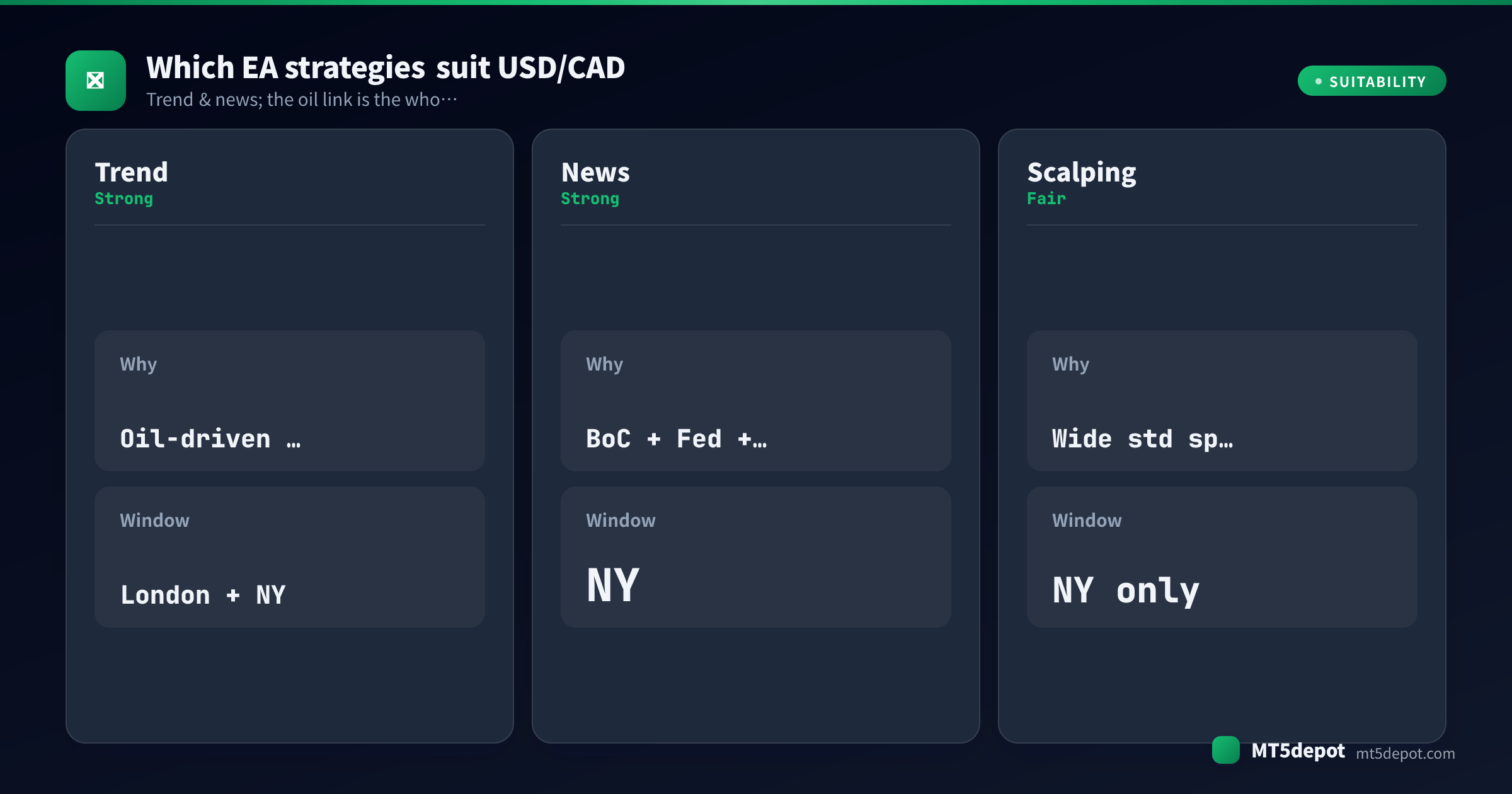
| Trend-following | Strong | Oil-driven moves tend to run in sustained directions rather than chop. The London-plus-NY window gives a clean surface to ride them. The crude leg often supplies the fuel a pure-policy major lacks. |
| News / event | Strong | USD/CAD stacks BoC, Fed, and oil catalysts — including the weekly crude-inventory print — into the NY window. That gives an event system more scheduled edges to trade than a single-driver pair offers. |
| Scalping | Fair — NY only | The 1.3–2.2 pip standard spread taxes small-target strategies, so scalping needs a raw-type account and the NY liquidity peak. Treat any Loonie scalper as unproven until a tick-data test says otherwise. |
Trend and news are the shapes that turn the oil link into an asset; scalping has to fight the wider spread the whole way. The practical route is to build one of these shapes yourself. The Builder ships templates that accept USD/CAD and exposes every parameter. Test it (below) before you trust a single number.
Best Trading Hours for USD/CAD EAs
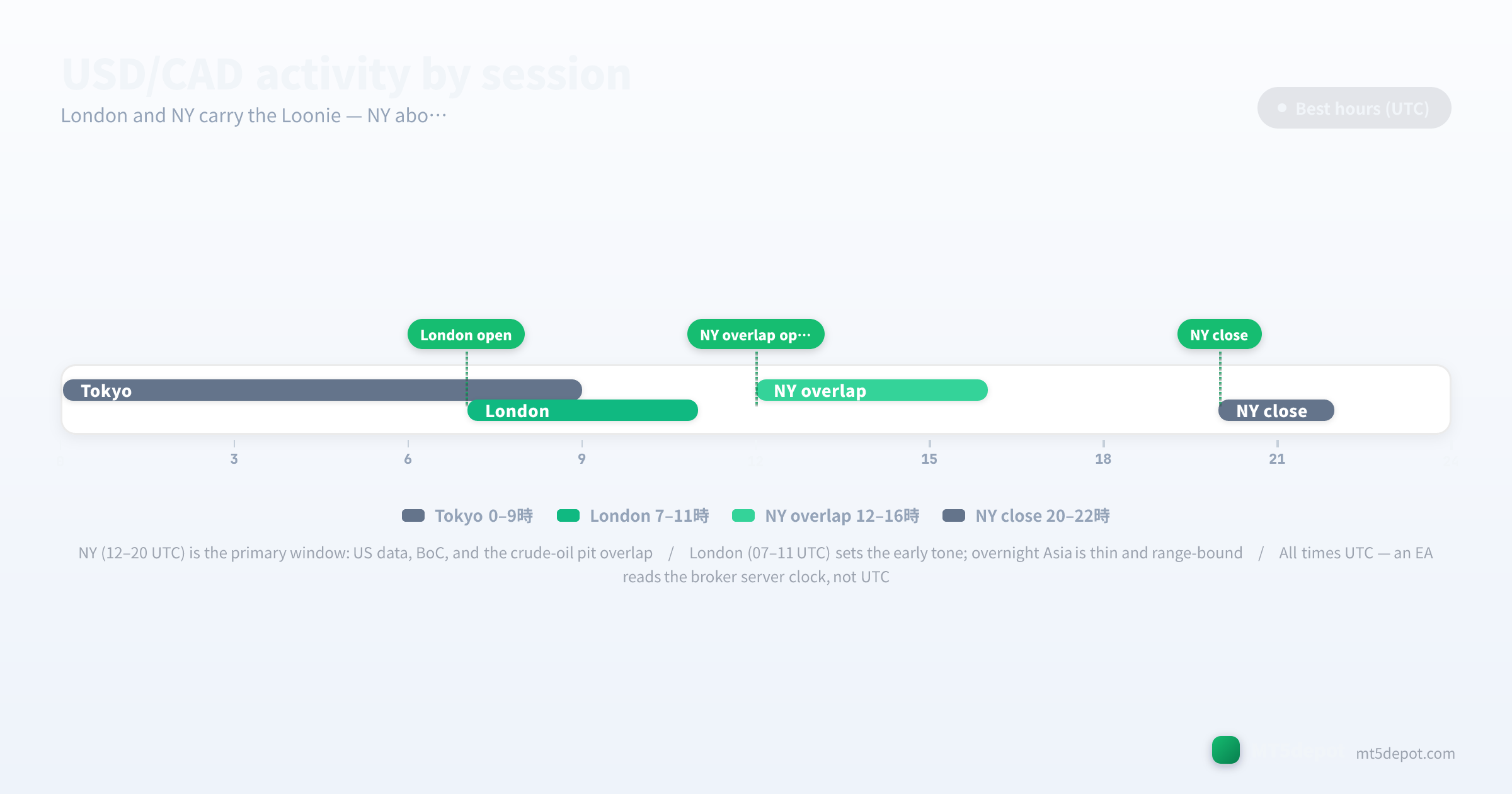
Session structure decides more of a Loonie result than indicator choice does, and USD/CAD is unusually front-loaded toward North American hours:
- Asian session (00:00–07:00 UTC): thin liquidity, range-bound, prone to a false range that resolves the moment London and NY arrive. Trend EAs reading H1 signals overnight tend to trade noise here.
- London open (07:00–11:00 UTC): the early tone-setter. Volume builds and the pair starts to pick a direction, but the heaviest catalysts have not yet fired.
- NY session (12:00–20:00 UTC): the primary window, and the one that matters most. US economic data, Bank of Canada releases, and the North American crude-oil pit all overlap here. This is where trend and news EAs on USD/CAD earn most of their result, and where the oil link is most likely to fire.
- Late/off-hours: liquidity thins again and false breakouts return; session-quality filters should exclude them.
In our editorial assessment, EAs that restrict trading to the London-and-NY hours often out-perform 24-hour variants on Loonie. A session filter is best treated as part of the strategy definition rather than an optimisation flourish. Two cautions come with it. Scheduled BoC, Fed, and crude-inventory events sit inside the NY window and widen spreads exactly then, so a fast strategy needs a news pause or it pays wide spread at the worst moment. And every clock time above is UTC. An EA reads your broker’s server clock, which is usually not UTC, so a “12:00” filter shifts silently when you move the EA between brokers on different server timezones. This is the one clock rule for the whole page. Verify it once in MT5’s Market Watch, and every session boundary lines up.
Spreads, Costs, and Execution
USD/CAD is more expensive to trade than EUR/USD. The figures below are editorial reference ranges compiled from broker-published standard and raw conditions (updated July 2026), not broker-by-broker measured numbers; our live spread sampling currently covers a few reference symbols. Confirm the live spread on your own account before you size a fast strategy:
| Account type | Typical USD/CAD spread | Commission | Who it suits |
|---|---|---|---|
| Standard | 1.3 – 2.2 pips | none | swing / low-frequency trend and news EAs |
| Raw / ECN | sub-pip (≈0.3 – 0.7) | $3 – 7 / lot | scalping / high-frequency EAs |
Two cost rules specific to this pair:
- Budget wider than EUR/USD, and confirm on your own account. EUR/USD’s typical standard spread starts around 0.7 pips (a typical reference range, not a measured figure — confirm it on your own account); USD/CAD’s standard spread typically runs wider, in the 1.3–2.2 range above. That extra width is a rounding error for a swing EA and a recurring tax for a high-frequency one. Fast Loonie systems therefore belong on raw-type accounts where the spread compresses to a known number.
- The commission is an account property, not a pair property. The same $3–7/lot raw commission applies whether you trade EUR/USD or Loonie; what changes between pairs is the spread on top of it. And because USD/CAD often carries a meaningful carry differential, the overnight swap matters more here than on a flat-rate pair. A trend EA that holds positions for days can see swap turn a marginal edge negative. Check both sides of the swap before you assume a backtest’s costs are complete.
Risks to Test Before Going Live
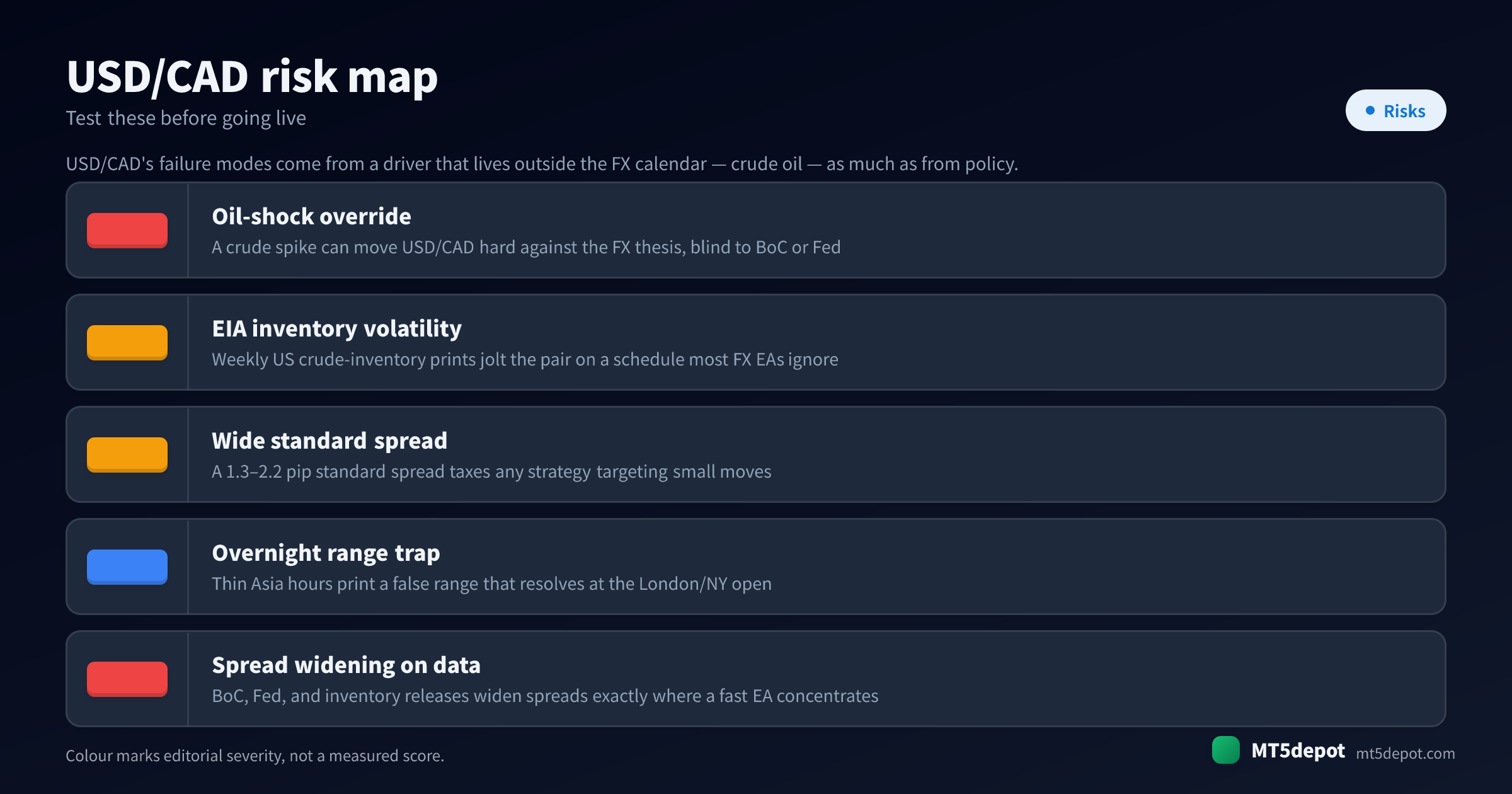
USD/CAD’s failure modes come from a driver that lives outside the FX calendar — crude oil — as much as from policy. A generic risk checklist misses them:
- Oil-shock override. A sharp crude spike or collapse can move USD/CAD hard against a clean FX thesis, blind to whatever BoC or the Fed just did. This is the failure mode a EUR/USD-trained system has never seen, because its old pair had no commodity leg. It is also the one most likely to blow through a stop that was sized for policy volatility alone.
- EIA crude-inventory volatility. The weekly US crude-inventory report jolts the pair on a schedule that most forex EAs simply do not track, because it is an energy release rather than an FX one. An EA that pauses only for central-bank events is fully exposed to it.
- The wide standard spread is a recurring tax. A 1.3–2.2 pip standard spread quietly erodes any strategy targeting small moves, and it is worst exactly when you most want to trade — around the news that widens it. Size the strategy to survive the spread it will actually pay, not the platform default.
- Overnight range trap. The thin Asian hours print a range that looks tradable and then resolves the other way at the London/NY open. An unfiltered trend EA reading H1 signals overnight trades that false range, not real direction.
- Spread widening on data. BoC, Fed, and inventory releases all widen spreads at the moment a fast EA concentrates its trades inside the NY window. The same overlap that makes the pair attractive is where the execution tax peaks.
How to Test a USD/CAD EA
On USD/CAD, the test is the whole edge. Hold anything you build to the bar set out in the site’s methodology:
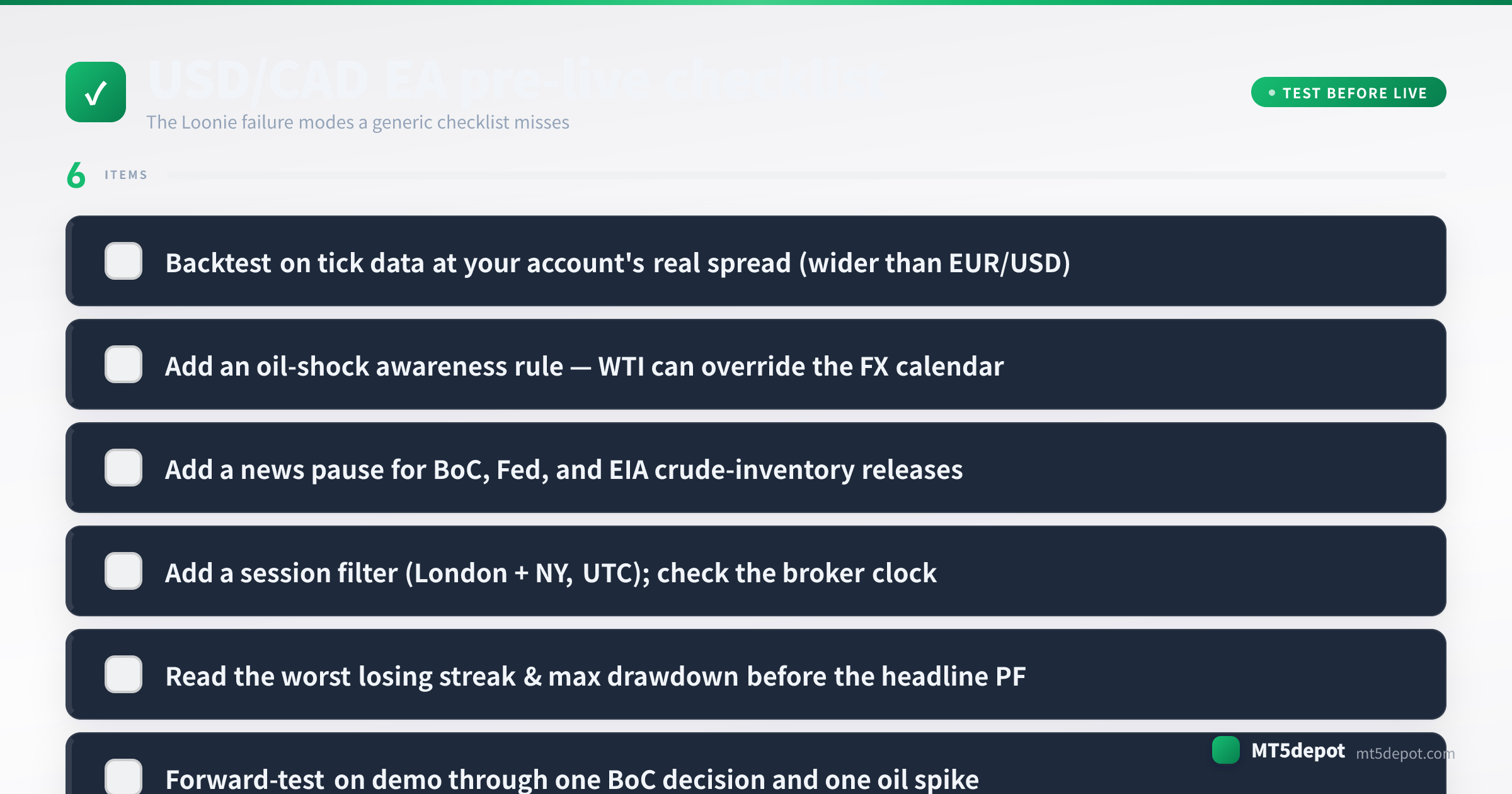
- Backtest on tick data at your account’s real spread. Use an every-tick model with the standard-or-raw spread you will actually trade — wider than EUR/USD — not the platform default. A strategy validated at a spread it will never see is a fiction, and on a wide-spread pair the gap between typical and measured becomes real money fast.
- Read the worst losing streak, not the headline profit factor. The max drawdown and the longest run of losing trades tell you the capital and the patience the strategy demands. Budget for the worst streak before you fund it.
- Forward-test on demo through one BoC decision and one oil spike. Loonie’s defining risk only shows up around catalysts — and crucially, one of those catalysts is not a policy event at all. A demo window that never spans a rate decision and a crude-inventory or oil-shock move has not tested the thing that makes this pair different.
- Confirm the server clock before the first live trade. Re-check MT5’s Market Watch time against the UTC session hours above, and re-check it again after any broker migration — a step that is easy to skip and expensive to miss.
Every backtest number this produces is a historical measurement, not a forecast — say so in your own notes, and size for the drawdown you measured rather than the return you hope for.
USD/CAD EAs and Builder Templates
We have not published a USD/CAD backtest of our own, and a EUR/USD result does not carry over to a pair whose loudest driver is the crude tape. The honest route to a Loonie EA is to build and verify one:
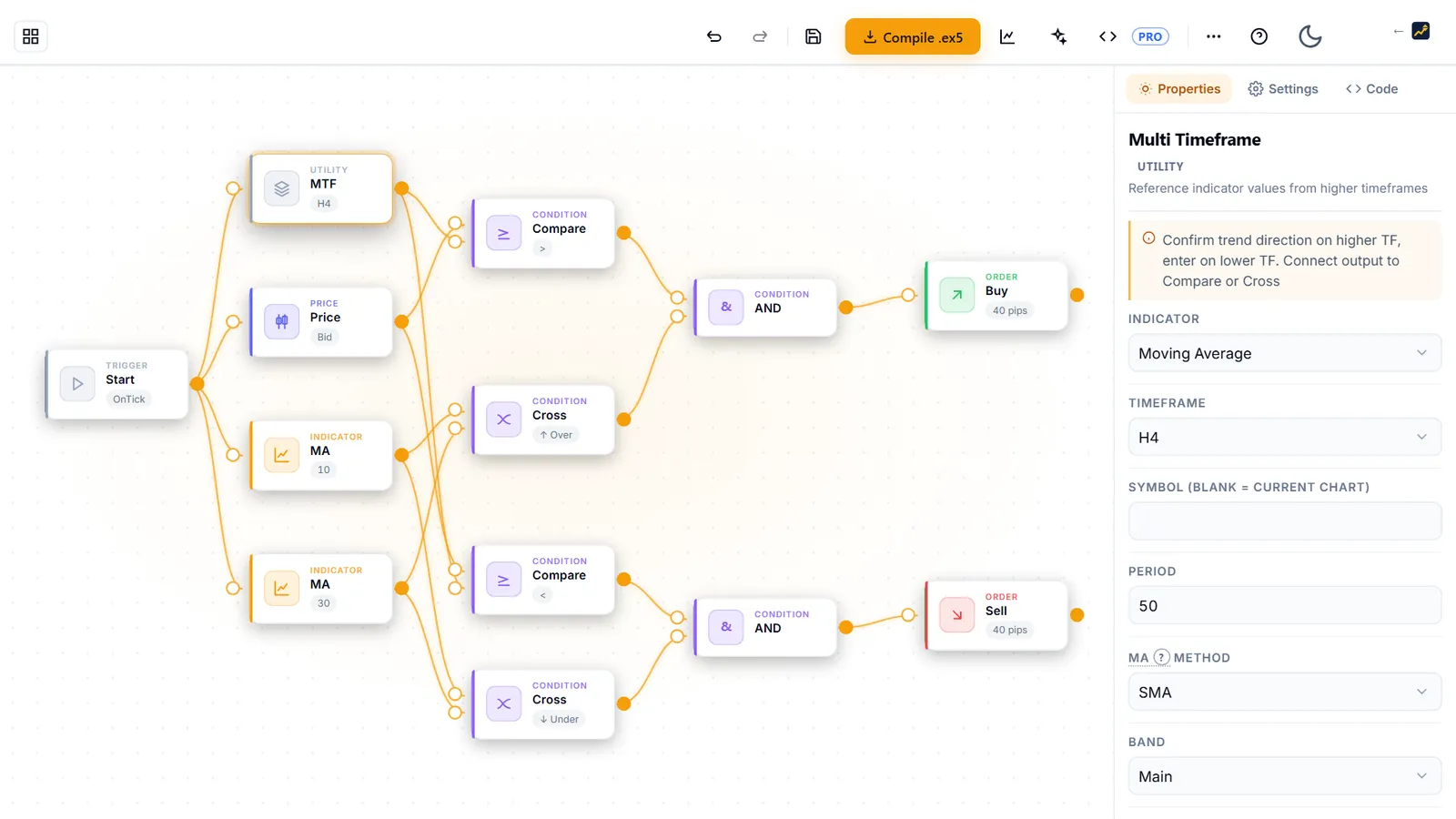
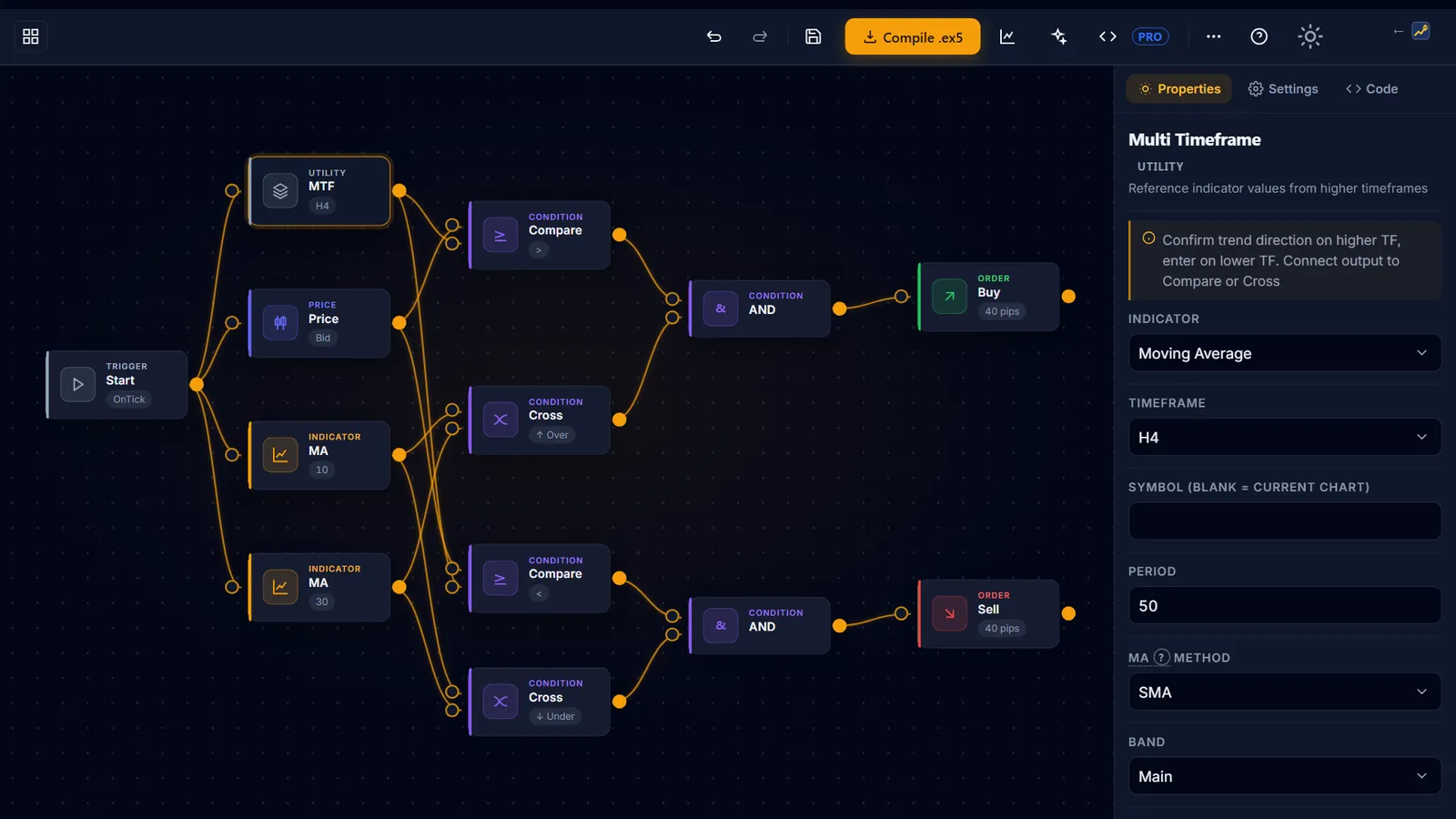
- The Builder (open it here) accepts USD/CAD in its trend templates, and its News Filter node lets you add the oil-shock and inventory pauses this pair needs. The EA you deploy is built on your own numbers. The CTA below covers exactly what it produces.
- A record to keep. Write down your USD/CAD build’s worst losing streak and max drawdown before its profit factor, and mark the oil-shock and inventory days inside that record. That is the discipline to hold your own Loonie build to, whatever driver it trades.
- The concept canonicals. If a term above is unfamiliar, the spread, volatility and swap entries define the mechanics a Loonie EA depends on.