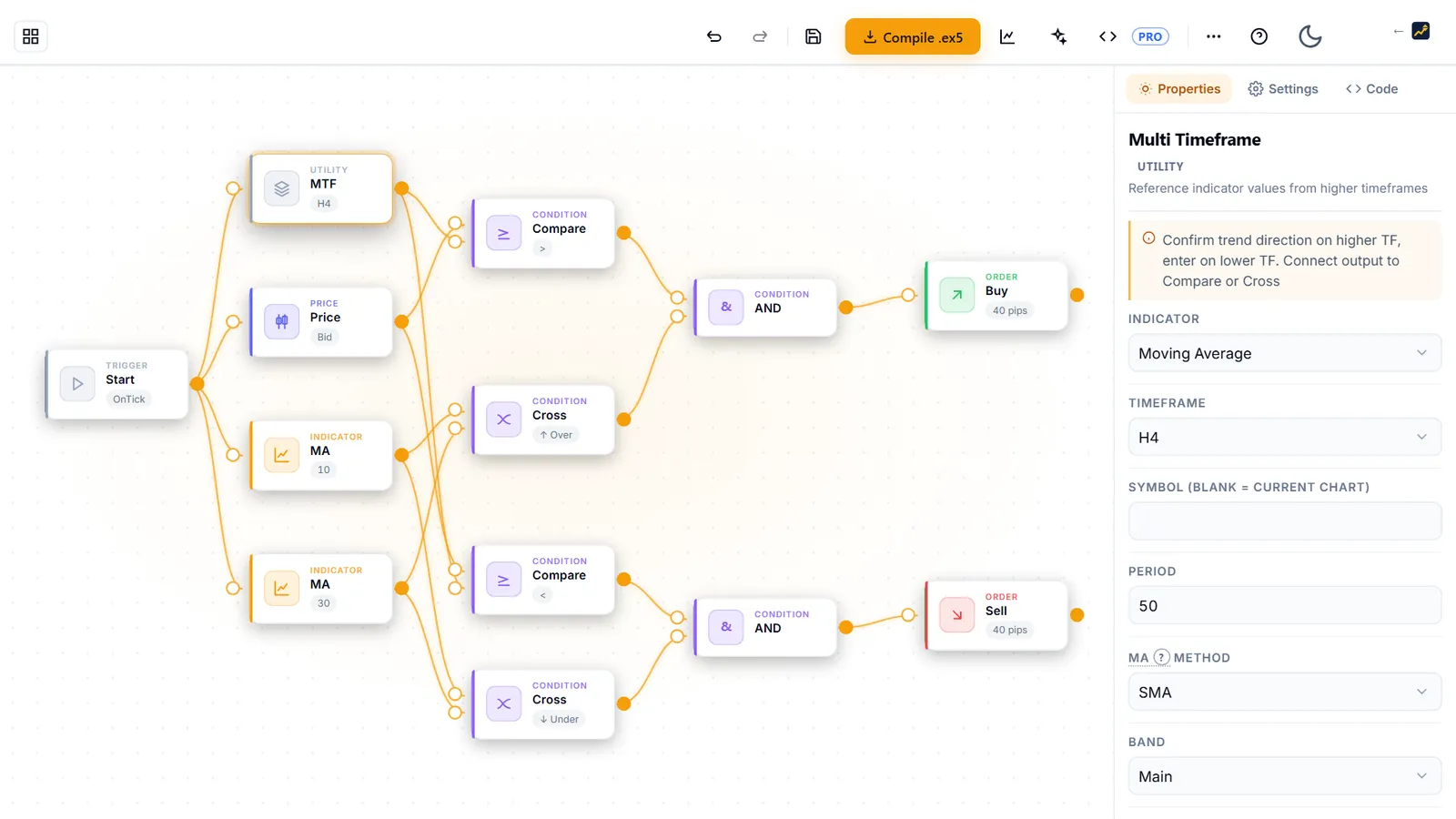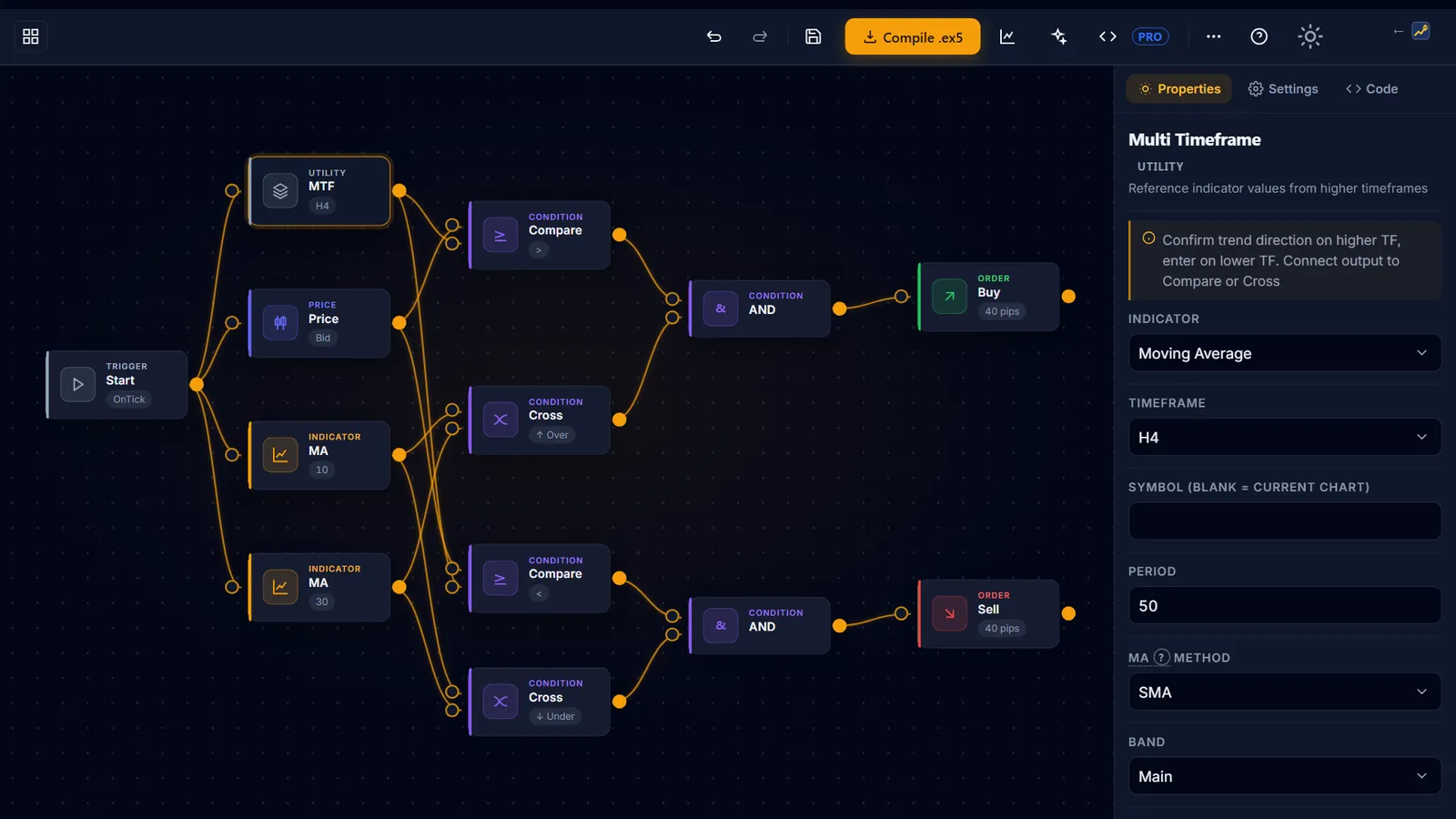
The free EA you can trust most is the one whose every rule you placed yourself. In AIStrategyMiner’s Builder you design an expert advisor from blocks on a free canvas and grade it with the Measure panel; compiling it into a .ex5 for MetaTrader 5 is part of Builder Pro. Free EAs from anywhere else can still be worth a look, but only after the same four checks. This guide covers both routes, the exact MT5 settings, and the two numbers to decide before you press Algo Trading.
What decides whether a free EA is worth your time is not the price. It is:
- Who produced the number. A pasted backtest and a run you repeated yourself are not the same claim.
- Whether the sample means anything. 164 trades on one symbol over one year bounds very little.
- Whether anyone recorded the search. A winning setting without the settings that lost is a result you cannot repeat.
- Whether you can stop it. A rule that fails slowly is the expensive kind.
We check each of those against our own data below. How we run and label these tests is set out in our testing methodology.
| Test conditions | |
|---|---|
| Experiment ID | EXP-FREE-EA-BUILD-001 |
| Parent experiment | EXP-BUILDER-TEMPLATE-BASELINE-001 |
| Source | ea-templates-manifest.js, ea-builder.js, worker/api/compile.ts, ea-auth-inject.cjs |
| Symbol / timeframe | USDJPYm M5 |
| Period | 2025-06-01 – 2026-06-09 |
| Model | M1 OHLC (Model=1), Exness MT5, measured 2026-06-18 |
| Deposit | 10,000 |
| Last verified | 2026-09-27 |
What to look for in a free EA: four checks, in this order
Run them in order. Check 1 is the cheapest to perform, and a free EA that fails it gives the other three nothing to work with.
| Check | Why it decides anything | Red flag |
|---|---|---|
| 1. Who measured it | A self-reported figure is an assertion; a run you can repeat is a measurement | The only numbers are in the description, with no report behind them |
| 2. Sample and window | A profit factor over 40 trades in one quarter is noise wearing a decimal point | No trade count, no period, or a period shorter than a year |
| 3. Recorded search | Knowing what else was tried, and rejected, separates a result from a lucky pass | Only the winning setting appears anywhere |
| 4. Failure mode | You need a number that means stop, decided before you attach it | Nothing describes a losing stretch |
When you build the EA yourself, the Builder gives you a first answer to check 1: the Measure panel runs your design and grades it on the same ladder every time.
- No trades — the rule never fired in the test window
- Too few trades — fewer than 10, nothing to judge
- Fail — profit factor below 1.2, or max drawdown above 20%
- Thin sample — profit factor and drawdown pass, but fewer than 60 trades
- Pass — all three meet the bar
Two things about that panel are easy to miss. First, it is a bar-level approximation, not tick modelling, so treat a Pass as “worth a proper test”, not as a result. Second, the robustness matrix beside it will run one design across up to 8 symbols and 6 timeframes (12 cells at most). A rule that passes on one cell and fails on the others has told you something the single test could not.
The worked example: the one free template that meets the bar
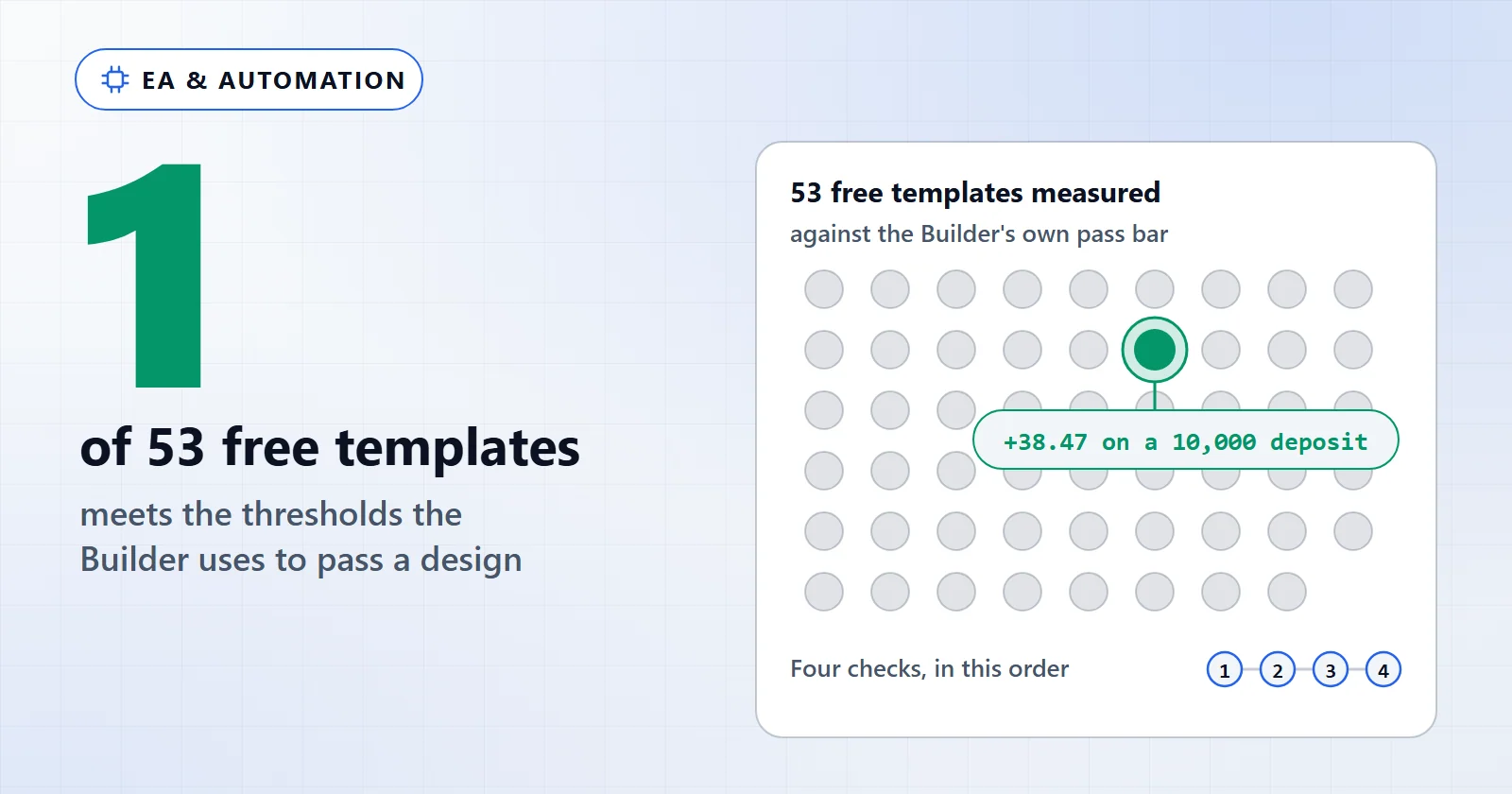
To keep this from being a rigged demonstration, take the strongest template in the gallery rather than a weak one. Sorted by profit factor, the top of the measured set is pending_breakout. On the MT5 run in the table above, it is the only one whose stock settings meet all three thresholds the Measure panel uses.
pending_breakout | |
|---|---|
| Tier / blocks | Intermediate, 9 nodes |
| Gallery flag | recommended |
| Profit factor | 1.23 |
| Trades | 164 |
| Max drawdown | -0.21% |
| Net on a 10,000 deposit | +38.47 |
| Meets the Measure panel thresholds (MT5 run above) | yes |
| Same stock setting, 2018–21 (H1 re-test, fixed spread 20) | profit factor 0.99 |
Now run the checks. Check 1 passes: we measured it ourselves, under the conditions in the table above. Check 2 is thin: 164 trades on one symbol, one timeframe and one year. The M1 OHLC model also interpolates movement inside each bar instead of reading real ticks (modelling quality matters here). Check 3 is where it gets instructive, because this template does have a recorded search. It was run as a separate H1 re-test on USDJPY with a fixed spread of 20, over three windows (2018–21, 2022–24, 2025–26):
- The stock setting (SL 40 / TP 80 pips) is the one that meets the bar on the tested year. On 2018–21 it scores 0.99.
- The in-sample best (SL 50 / TP 120) reached 1.31 — and fell to 0.98 on 2018–21. It was not adopted.
- The setting that held above 1 in all three windows (SL 30 / TP 120) scored 1.12 / 1.16 / 1.14. It is the modest one, and the record says it is USDJPY-specific. Cross-tests on EURJPY and GBPJPY lost in-sample.
And the headline number deserves reading twice. +38.47 on 10,000 is under 0.4% for the year. The best free template we publish is not a losing design. It is an unfinished one, and that is the normal condition of a free EA.
For the rest of the gallery, the pattern holds: 11 of the 53 measured templates end at or above a profit factor of 1, and 42 end below it. Of the other 52, 8 carry a recorded parameter search, and every one of those verdicts reads no_robust_edge.
Free EA sources compared: build your own vs download one
There are three realistic free routes. They differ less in price than in how much you can check before any money is involved.
| Route | What you can check | What it costs you | The honest catch |
|---|---|---|---|
| Build on the AIStrategyMiner Builder canvas | Every rule, because you placed it; the Measure panel grades it | A signed-in account with a confirmed email to measure | Compiling to .ex5 and the .mq5 source are Pro |
| MQL5 Market free products | A vendor description and screenshots; you can rerun it in your own Strategy Tester | An MQL5.com account | Some free products are demos or feature-limited versions of a paid EA; read the limits before you test |
| Forums, file sites, “cracked” EAs | Usually nothing you can audit | Nothing, until it runs | No source, no sample, no search — checks 1 to 3 all fail before you start |
The first row is the only one where check 3 can be yours from the start: you own the record of every setting you tried. The last row is the one where you cannot check anything at all. A modified binary on the same PC as your broker login is also a security risk, not only a trading one.
Running a free EA in practice: from design to a demo chart
The procedure below is the actual path for a Builder EA, including what each refusal means when it happens. Steps 4–7 apply to any .ex5.
- Open the Builder and start from a template or an empty canvas. Designing needs no account; a design holds up to 50 nodes.
- Sign in and confirm your email address. The Measure panel needs it: it answers
401before you sign in and403until the address is confirmed. Neither is a fault in your design. - Run the Measure panel and read the verdict line, not only the profit factor. A “Thin sample” is not a Pass. Then compile with Builder Pro; a
429only means you compiled too often in a short time. - In MT5, go to File > Open Data Folder >
MQL5\Expertsand copy the.ex5there. Then right-click Expert Advisors in the Navigator and choose Refresh. - Go to Tools > Options > Expert Advisors, tick “Allow WebRequest for listed URL” and add
https://aistrategyminer.com. A Builder EA checks in there when it starts; the Strategy Tester skips the check. - Backtest it in the Strategy Tester on your own broker’s data, on the symbol and timeframe you plan to trade. A rule measured on USDJPY M5 says nothing about EURUSD H1.
- Attach it to a demo chart, tick “Allow Algo Trading” in the EA’s Common tab and switch on the Algo Trading button. Then write down your two stop numbers (next section) before a single trade opens.
If step 5 is skipped, the EA does not trade quietly and badly — it refuses to start. A pop-up reads aistrategyminer.com authorization failed - EA disabled and initialisation fails. The Experts tab of the Toolbox shows it too. The check waits up to 5 seconds for a reply, so a PC without internet access fails the same way. That check is about the URL allow-list, not about your account.
What is free, and what is not
The Builder canvas has no expiry and no build quota: the visual editor, all 12 gallery templates and the strength test are free to use, as are the free tools and the articles, and the generator can be tried as a demo that shows counts and stage pass/fail only. Compiling to .ex5, viewing and downloading the editable .mq5 source, the full code in the Code tab and the 9 strategy recipes you can open and edit belong to the one-time Builder Pro licence at $399. The code is generated and compiled on the server, and the canvas never receives source code. So Pro is the step for traders who want a compiled file or want to read and change the code.
Risk, and the numbers that mean stop
Three failure modes matter more than the rest, and they are not the ones people expect.
The first is that a free EA loses slowly enough to keep. A design that loses at once gets deleted in a week and costs almost nothing. A design that drifts down over months is the expensive one, because it keeps looking like variance until the account is materially smaller.
The second hides from exactly the check most people run. pending_breakout meets the bar on the most recent year at stock settings and scores 0.99 on 2018–21 in its H1 re-test. Its in-sample best setting looked better still, at 1.31, and fell to 0.98 on the earlier window. A single test on one recent window would have approved both. This is overfitting in its ordinary form. A rule that wins in one regime and loses in the next does more damage than one that never wins, because it wins your confidence first. Test on an earlier window you did not tune on before you trust any setting.
The third you can rule out in about a minute, and free EAs from forums are notorious for it. Open the .set file in a text editor, or read the input list in the EA’s Inputs tab, before you attach anything. A lot multiplier above 1, a step or grid distance in pips, a maximum-trades cap and no stop-loss input together describe a martingale or grid scheme. Such an EA draws a near-straight equity curve for months because it postpones every loss. Then it gives the whole curve back in one sequence. In the Builder, these behaviours live in the Settings tab, not on the canvas: the Money section holds Martingale Lot, averaging, pyramiding and stop-and-reverse. Open Settings — including on a template you started from — and confirm each one is off before you compile.
Nothing on this page is a live-account record, and no backtest bounds what your account will do. Past results describe a window that has already happened.
Next steps
From there:
- Start with the walkthrough: create an EA in the Builder goes block by block from an idea to a compiled file.
- Make the Measure verdict something you reproduced: run a backtest yourself in the MT5 Strategy Tester on your own broker’s data.
- Before you tune anything, read parameter optimisation so that check 3 is a record, not a lucky pass.
- For what “profitable” means once the whole record is in view, see are Expert Advisors profitable.
- Once an EA passes the four checks, the next question is size: risk management for EA traders works out the deposit and lot size a record actually demands.