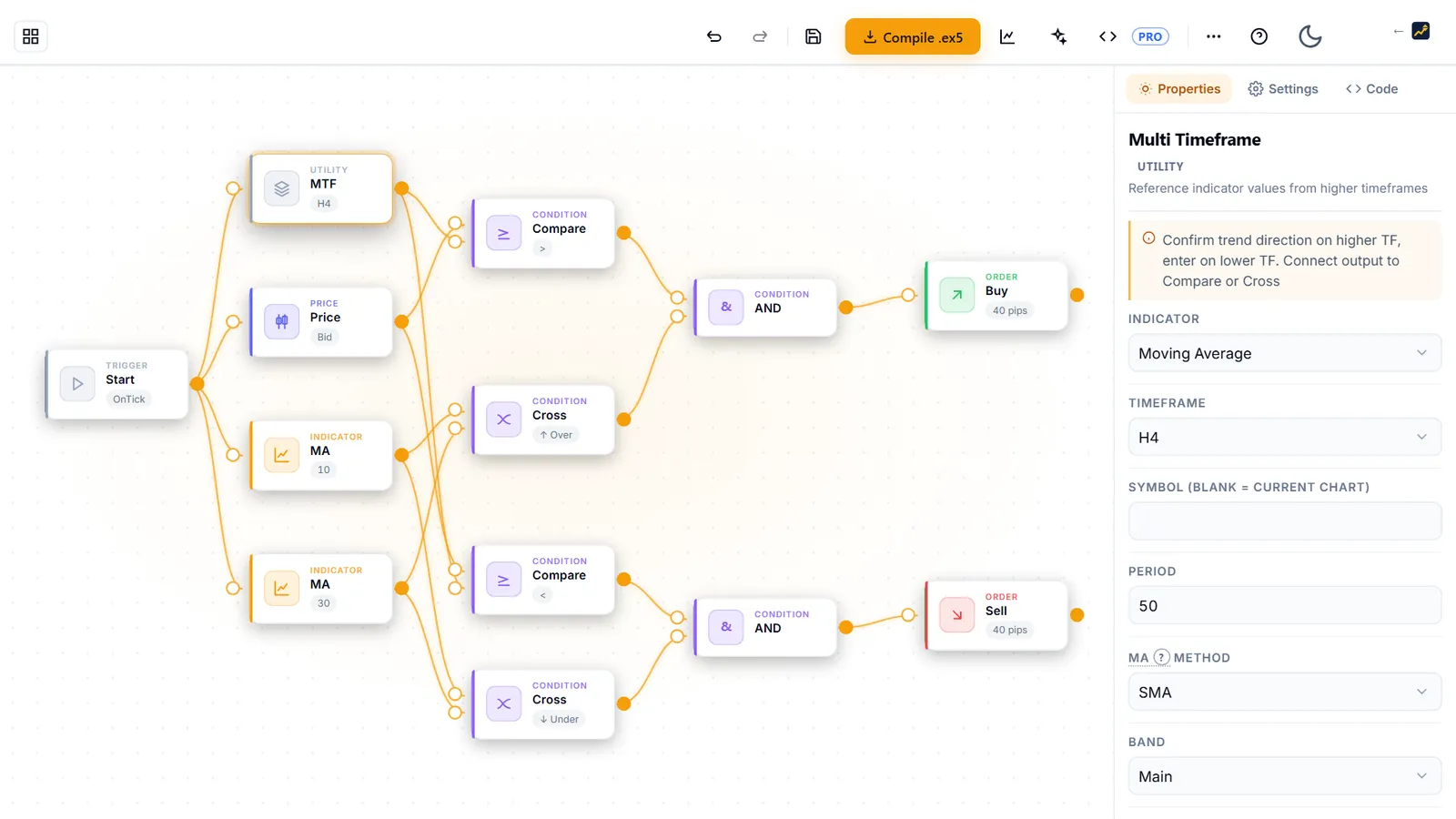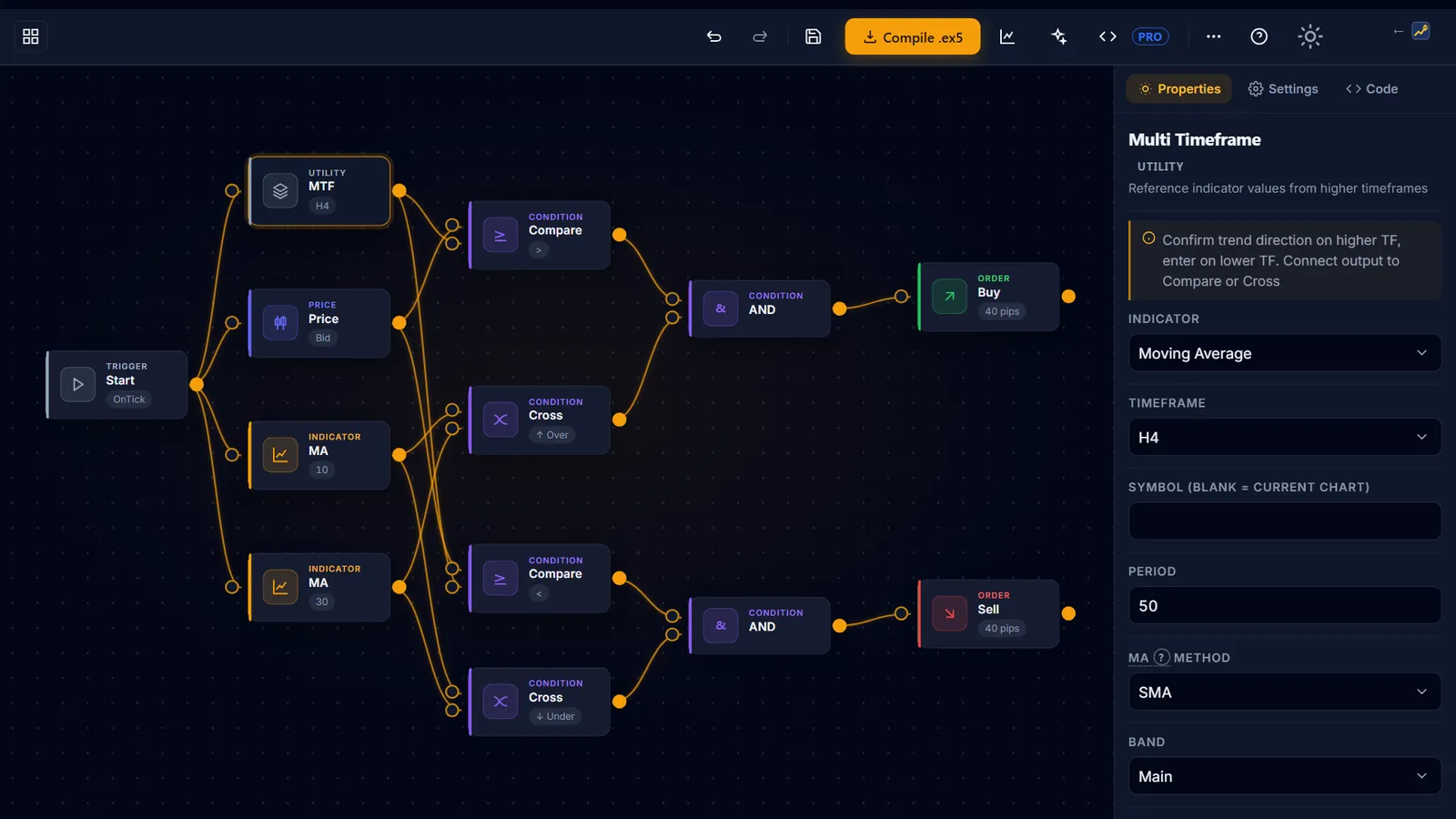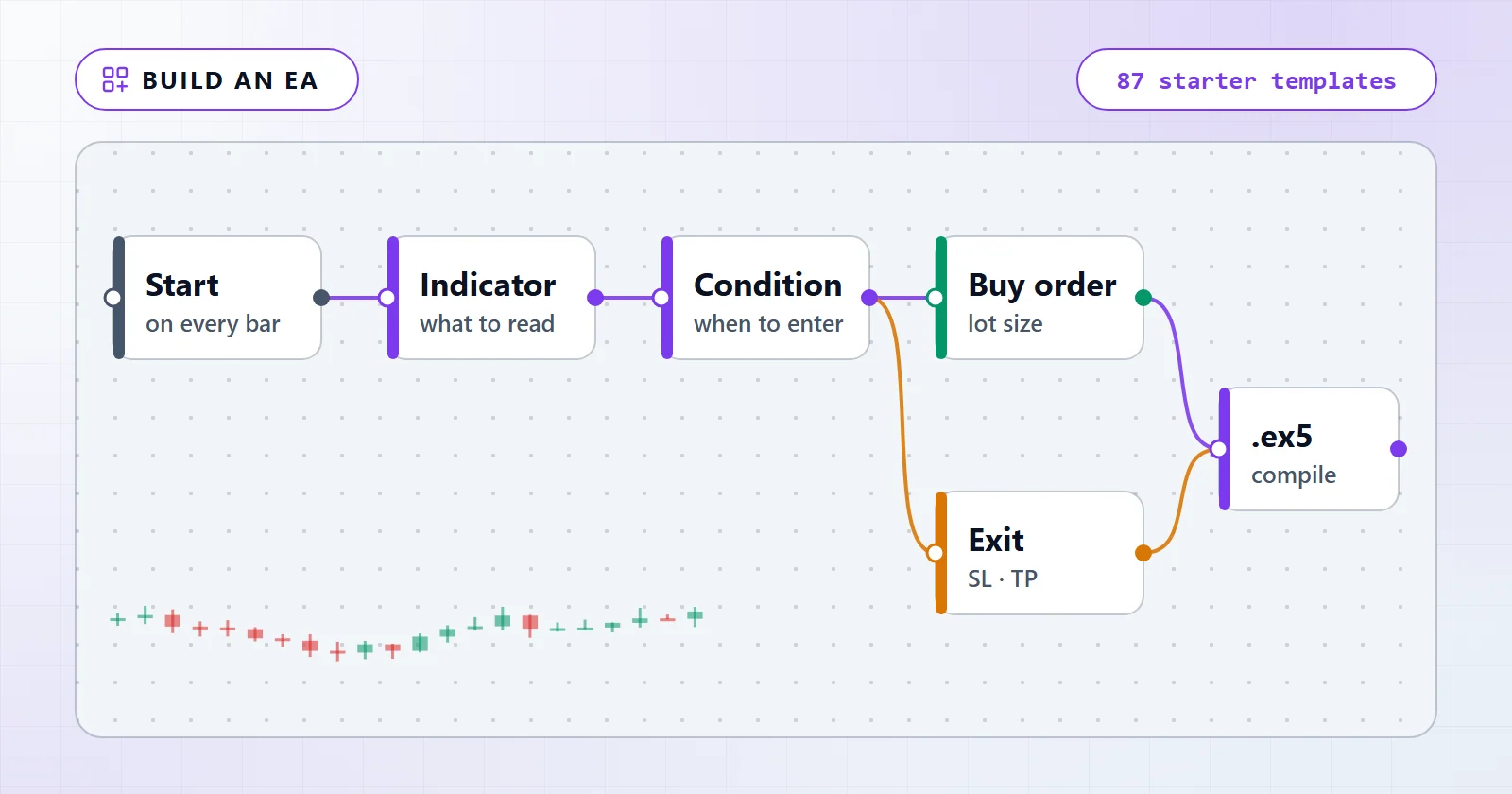
You create an MT5 Expert Advisor without coding by assembling it from blocks on a canvas — an indicator block, a condition block, an order block, a risk block — and letting the server generate and compile the MQL5 for you. The file that comes back is a real .ex5, the same kind of file a hand-written EA compiles to. No MQL5 syntax is involved at any point.
The part that no-code does not remove is the design work, and that is where almost everyone loses. So this guide does both halves: the mechanical path from an idea to a compiled file, and the evidence about what those files score before you change anything.
What you’ll build
By the end you will have a compiled .ex5 sitting in MetaTrader 5’s MQL5/Experts folder, built from a rule you chose, with a stop-loss and a position size you set on purpose. Two routes get you there and they are genuinely different in effort:
- Start from a template. Pick one of the 12 ready-made strategies in the gallery, then edit its blocks. Fastest way to see a complete flow, and the fastest way to inherit a losing baseline without noticing.
- Start from a blank canvas. Place a Start node, wire an indicator into a condition, wire the condition into an order block, add risk. Slower, but you know exactly what every wire does.
Either way the vocabulary is the same: 119 block types in 8 categories, with a budget of 50 nodes per design. That budget is not the constraint beginners expect it to be. The highest-scoring template in the whole gallery uses nine nodes, and the runner-up uses six.
Before you start: what the Builder is, and what it is not
You need an idea expressible as “when X happens, buy; when Y happens, close”, 15–30 minutes, and a MetaTrader 5 terminal to run the result in. You do not need MQL5, a compiler, or Windows — the editor runs in the browser and the compile happens on the server.
Three boundaries are worth knowing before you invest an evening.
It generates code; it does not trade. The Builder never places an order, never connects to your broker, and never issues signals. It hands you a file. Everything after that happens in your terminal, on your account, under your control.
Designing is free; compiling is Pro. Dragging blocks, loading templates and reading the Code tab’s inputs preview require no sign-in. Running the strength test requires an account with a verified email address — an unverified account gets a 403 and the message “Your account is not eligible yet”, which is a different failure from the EAB-E601 “Sign in to compile” you get with no account at all. Compiling to .ex5 needs Builder Pro.
The .ex5 is licensed, not portable. Every compile ships with a licence check: MetaTrader 5 must have https://aistrategyminer.com allow-listed under Tools > Options > Expert Advisors > Allow WebRequest or the EA disables itself on start. Strategy Tester backtests are exempt from that check. Compiling to .ex5 and the editable .mq5 source belong to the one-time $399 Pro licence.
Step-by-step: build the EA
- Open the editor from the Builder page — the button reads Open the builder — free. Nothing is installed and your work autosaves in the browser.
- Choose a starting point. The welcome screen offers Build Your EA — Free, Start with blank canvas and a 3-min tour, plus a template gallery filtered by Basic / Intermediate / Advanced / Portfolio. A blank canvas still needs a Start node from the Utility palette — without one, validation stops you with
EAB-E202. - Place blocks. Drag from the left palette or double-click an entry;
Ctrl+Ksearches all 119 types by name. Wire them by dragging from a node’s output port on the right to the next node’s input port on the left, or press the + button on a node to add and auto-connect the next one. - Set each block’s parameters in the Properties tab on the right. This is where an indicator’s period, applied price and timeframe live — every indicator block can read a different timeframe from the chart it runs on, which is how a multi-timeframe filter is built without any code.
- Set the account-wide rules in the Settings tab: Money Management, Filters, Exit Strategy, Position Management, Risk Management. Lot size defaults to a fixed
0.01, and the shared entry protection defaults to a 50-pip stop and a 100-pip target until you change them. - Read the validation bar and the Preflight diagnosis panel. Errors block generation; warnings do not. A flow with no stop-loss raises a
CRITICALdiagnosis and makes you confirm “Generate anyway?” before it will build. - Press Measure to run the built-in approximate backtest — pick a symbol, a timeframe and a spread in points, and read the verdict against the printed bar. Do this before compiling, not after.
- Press Compile .ex5 (Pro). The server generates the MQL5, compiles it with MetaEditor and returns
EA_Builder.ex5. Move it intoMQL5/Expertsvia File > Open Data Folder, then right-click the Navigator and choose Refresh — if the EA does not appear, it is almost always the folder, not the file. - Test it in the Strategy Tester before you attach it to any chart. When you do attach it, the Algo Trading toolbar button has to be on and Allow Algo Trading has to be ticked in the EA’s Common tab. A sad face on the chart means one of those two is off, not that the strategy is broken.
- Pick a template or a blank canvas
- Wire indicator into condition into order
- Set stop-loss, target and lot size
- Measure the flow’s strength
- Compile to .ex5
- Test in the MT5 Strategy Tester
- Demo, then decide
A detail that surprises people at step 3: the editor refuses to build a flow that would silently misbehave. Wire an indicator straight into an order block and you get EAB-E205 — “An indicator is wired straight into an action. Insert a condition node (Compare/Cross) in between.” A node that is not reachable from Start raises EAB-E203 and is told plainly that it “will not be included in the generated EA”. These are not style warnings. They are the errors that stop a beginner from shipping an EA whose middle third does nothing.
If the compile itself fails, it is usually not your design. EAB-E402 means MetaEditor rejected the generated source, and three of its sub-codes — undeclared identifier, wrong parameter count, syntax — are labelled in the interface as “a bug on our side, not yours” with a request to attach the flow. Anything the mapper does not recognise is shown as the raw MetaEditor error line rather than a generic apology, which is exactly what makes reporting it worth doing. EAB-E401 and EAB-E404 are different animals: the compiler being busy, and a per-user rate limit. Both mean wait, not rebuild.
Blocks, entry and exit conditions, and the risk settings that are not optional
The palette is one vocabulary in eight groups. You do not need most of it on day one; you need to know which group answers which question.
| Block group | Types | What it controls | Sensible first setting |
|---|---|---|---|
| Utility | 2 | Where the flow begins, and multi-timeframe reads | One Start node |
| Indicators | 52 | The measurement your rule is based on | One indicator, chart timeframe |
| Price / Info | 5 | Raw price, OHLC, clock, account state | Leave alone until needed |
| Conditions | 10 | The comparison that fires the rule | Compare or Cross |
| Filters | 21 | When trading is allowed at all | Spread filter, position limit |
| Actions | 15 | The order itself, and how it closes | Open Buy / Open Sell |
| Money Mgmt | 7 | How big the position is | Fixed Lot, 0.01 |
| Exit Strategy | 6 | How a position ends | Fixed stop and target |
Four of those types — pyramiding, averaging down, reversal entry and close-all — are configured from the Settings panel only. Drop one on the canvas and preflight rejects it with EAB-E304 and tells you where it actually lives. It is a small thing, but it is the kind of small thing that costs an hour when the error message is bad, and here it is not.
Two condition blocks cover most first strategies. Compare asks whether a value is above or below another value — RSI below 30, price above a moving average. Cross asks whether one line crossed another on this bar, which is a different and much stricter question than “is above”. Confusing the two is the most common reason a flow fires constantly instead of occasionally.
Decision timing matters as much as the condition. The default evaluates once per closed bar rather than on every tick. On an M5 chart, that is the difference between a handful of decisions an hour and hundreds — and a rule that looks profitable on closed bars can behave completely differently when it is allowed to fire mid-bar.
Backtest it before anything else
The Builder has a Measure button, and it prints its own pass bar next to the result: profit factor at least 1.2, at least 60 trades, max drawdown no worse than 20%. That bar is the useful part. It is a fixed, published threshold, so a result is either above it or it is not, and no amount of squinting at an equity curve changes the answer.
Here is what that bar does to the shipped templates. This is our own data, not a vendor’s claim: every gallery template carries the measured record of a run, and the table below counts them. How we test describes the standard those records are held to, and the aggregation script sits in the repository next to its output, so the count is reproducible rather than asserted.
| Starter templates | Measured |
|---|---|
| Starter templates in the library | 87 |
| Templates shown in the gallery | 12 |
| Templates carrying a measured baseline | 53 |
| Flagged weak by the manifest | 52 of 53 |
| Below profit factor 1.0 at stock settings | 42 of 53 |
| Median profit factor | 0.92 |
| Best profit factor in the set | 1.23 |
| Clearing the Measure panel’s own pass bar | 1 of 53 |
| Test conditions | |
|---|---|
| Experiment ID | EXP-BUILDER-TEMPLATE-BASELINE-001 |
| Environment | Exness MT5 |
| Symbol / timeframe | USDJPYm M5 |
| Period | 2025-06-01 – 2026-06-09 |
| Model | M1 OHLC (Model=1) |
| Deposit | 10,000 |
| Baseline measured | 2026-06-18 |
| Aggregated / last verified | 2026-09-27 |
Three readings of that table are worth spelling out, because the obvious one is not the useful one.
Complexity did not help. The best baseline in the set, at 1.23, belongs to a nine-node pending-order breakout, and the runner-up, at 1.10, to a six-node moving-average pullback. The 27-node multi-timeframe oscillator stack scores 1.04. The worst score in the set, 0.65, belongs to a 15-node multi-timeframe design with automatic lot sizing and a trailing stop. Adding blocks adds parameters, and parameters are how a design overfits rather than how it improves.
Depth and duration are separate problems. One template posts a 1.03 profit factor across 8,765 trades with a -7.92% max drawdown; another posts 0.69 with a -22.54% drawdown. A ratio near 1 tells you almost nothing about what holding it feels like.
Eight of them were searched, and the search failed. Eight templates carry a recorded parameter sweep — stop-loss and take-profit grids run across three windows: in-sample, out-of-sample, and the period before both. All eight came back no_robust_edge. Two never produced a winning setting even in-sample. Six found one and could not repeat it — the best moving-average crossover combination reached 1.23 on H1 in-sample and 0.98 on the prior window, and a CCI setting that held 1.05 out-of-sample still fell to 0.92 on the period before it. The bar was winning all three windows, and nothing cleared it. The one template that does clear the Measure bar, pending_breakout, shows the same trap from the other side: its stock setting scores 1.23 on the M5 test year and 0.99 on 2018–21 in an H1 re-test. That is a more honest result than a tuned number, and it is the single best argument for testing your own edits rather than trusting anyone’s defaults, including these.
The measure is deliberately approximate — bar-level, major nodes only, not a real terminal. It is a filter, not a verdict. Anything that survives it should then be compiled and re-run in MT5’s own Strategy Tester, where fills, spread and the tick model are real. How to run a backtest in MT5 walks that second run through end to end on a real recorded run; the rest of what those numbers mean belongs to the backtesting guides rather than here.
- Measured the flow and read it against the printed bar, not against a feeling
- Re-ran the compiled
.ex5in the MT5 Strategy Tester on the same symbol and timeframe - Set an explicit stop-loss instead of accepting the 50-pip default
- Checked the drawdown you would have had to sit through, not just the end result
- Ran a demo account long enough to see the strategy lose and recover
- Wrote down, in advance, the loss that would make you switch it off
Common mistakes to avoid
Compiling a template and calling it done. This is mistake number one by a wide margin, and the table above is why. A template is a wiring diagram someone already drew for you. The parameters in it were never fitted to your symbol, your timeframe or your broker’s spread.
Tuning until the backtest looks good. If you change a parameter, re-measure, change it again and keep the best, you are not improving a strategy — you are fitting it to one slice of history. The eight recorded parameter searches in the gallery all ended in no_robust_edge: six found an in-sample winner that did not survive the next window, and two never found one at all. Yours will behave the same way unless you check it the same way.
Testing one lucky year. The baseline above covers a single year on a single symbol at one broker. That is enough to say “this is not finished”; it is nowhere near enough to say “this works”. Widen the window and change the symbol before you believe anything.
Piling on filters to fix a losing rule. Twenty-one filter types are available, and adding five of them will make almost any backtest look better. It will also cut the trade count until the result rests on a handful of trades. Watch the trade count as closely as the profit factor — the Measure panel flags a thin sample below 60 trades for exactly this reason.
Running several EAs without separating them. If you run more than one EA on one account, each needs its own magic number, or one EA’s exit logic will close the other’s positions. This costs nothing to get right and is painful to diagnose after the fact.
Skipping the demo pass. A backtest bounds what a rule set could have done on recorded prices. It does not include your latency, your requotes or a spread that widens at the moment your rule fires. Nothing here is a promise of profit, and every record on this page describes the past.
Next steps and variations
Where you go next depends on which part felt thin.
If the strategy is the gap, start from a rule you can state in one sentence and build the smallest flow that expresses it. Nine- and six-node designs beat a twenty-seven-node one in the measured set, so the small version is not a compromise. Browsing the indicator reference is more useful at this point than adding another filter — a Donchian channel breakout and an RSI reversion are opposite ideas, and knowing which one you are building decides every parameter after it. How to build an RSI EA and how to build a MACD EA walk one of each end to end, including what the shipped templates score before you change anything.
If the testing is the gap, that is the deeper skill and it has its own home in the backtesting guides. The short version: test out of sample, watch the trade count, and treat a result you had to search for as a warning rather than a finding.
If you want to know whether any of this makes money, are expert advisors profitable? reads the same 53 measured templates as a population — what separates the few that clear 1.0 from the rest, and why one good window proves little.
If you are deciding whether to automate at all, EA vs manual trading replays owned records under the stop rules a discretionary trader would actually use, which is the honest version of that comparison.
And before you run anything you built on real money, put it through the same checks you would apply to a stranger’s EA. How to use a free EA sets out four of them, in the order that disqualifies fastest — they apply to your own build as much as to a download.