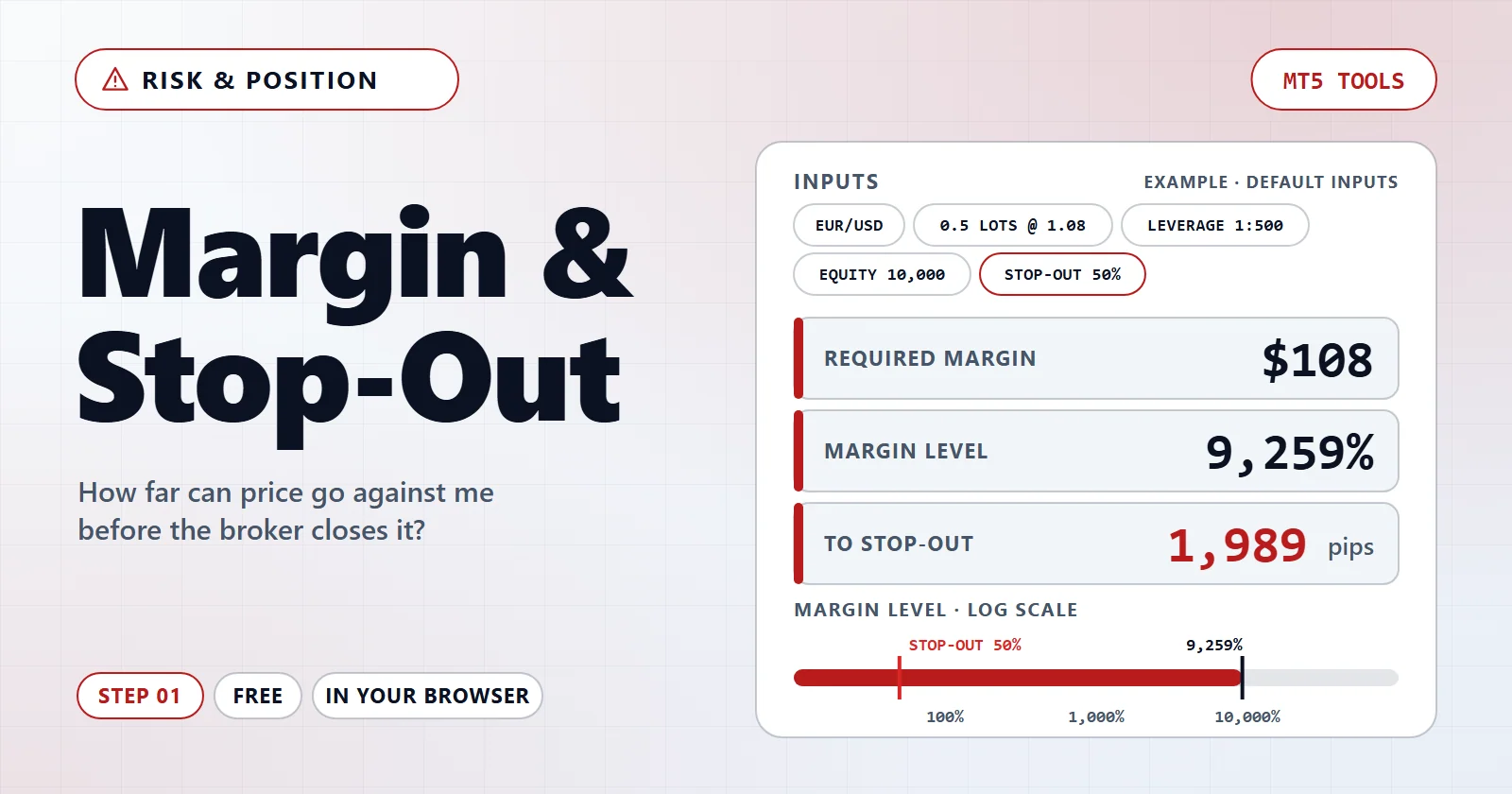
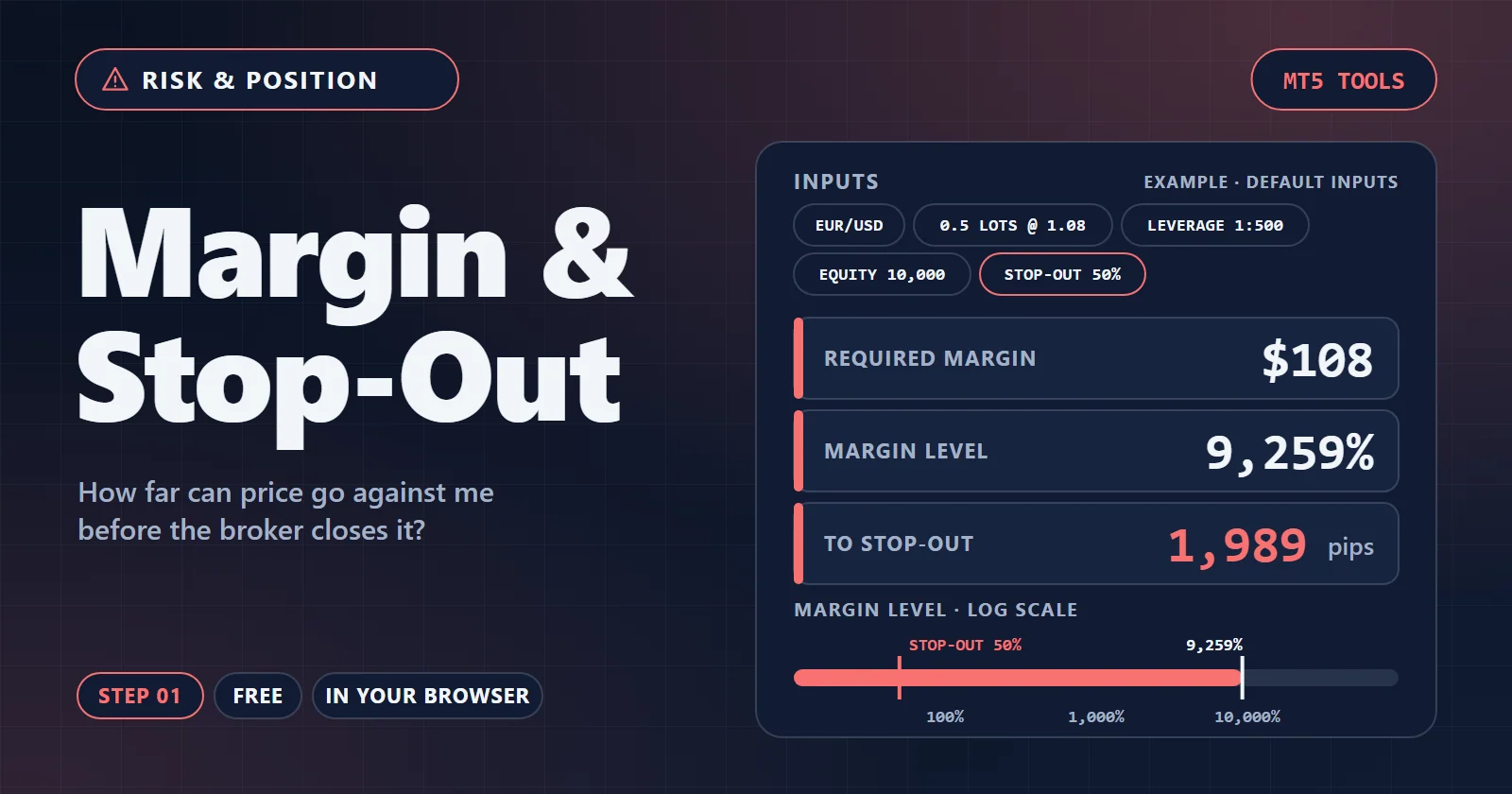
How far can price go against you before the broker closes it?
Margin decides how much of the account a position locks up. The stop-out level decides who closes the trade — you, or your broker. This tool works out both, and says which one gets there first.
Free · No install · Runs in your browser
Diagnosis
Margin on its own is just an amount locked up. These checks turn it into a judgement: can this position survive an ordinary adverse move, and is your stop loss still the thing that decides the loss?
Margin used as the lot size grows
- Margin used (% of equity)
- Your equity (100%)
- Your current input
Who closes the trade
A stop loss only limits the loss if it is reached first. When the stop-out sits closer than the stop, the broker decides the exit and the size of the loss — not you.
Why this is the real limit
Risk calculators assume the stop loss is what closes a losing trade. That assumption quietly fails on a heavily margined account: the stop-out arrives earlier, at a distance nobody chose, and the realised loss is whatever the market happened to be doing at that moment. Sizing so the stop stays in front restores the assumption every other calculation on this site depends on.
What leverage actually changes
Higher leverage ties up less margin. It does almost nothing for how far price can go against you, because the loss that closes you out comes out of equity either way.
| Leverage | Margin | Free margin | Margin level | Room (pips) | Use |
|---|---|---|---|---|---|
| — | — | — | — | ||
| — | — | — | — | ||
| — | — | — | — | ||
| — | — | — | — | ||
| — | — | — | — | ||
| — | — | — | — | ||
| — | — | — | — | ||
| — | — | — | — |
How to use it
- Enter your numbersType your own values into the fields, or choose your MetaTrader report if the tool reads a file. The values already there are only a starting example.
- Read the result and the diagnosisThe large number answers the question. The cards under it say what looks wrong and what to change.
- Try a fix or take it furtherApply a suggested change to see the result move, follow the link to the next tool, or copy the link to come back to the same inputs.
How this is calculated
Margin required is the position's notional value divided by the leverage, converted to your account currency: lots × contract size × price ÷ leverage. It is not a cost and it is not at risk — it is collateral held while the position is open, and it comes back when you close.
The margin level is equity ÷ used margin × 100. As a position moves against you the equity falls, so the level falls with it. When it touches the broker's stop-out level, positions are closed automatically — the distance shown here is how many pips of adverse movement that takes.
Leverage does not change what a trade can lose; lot size and stop distance do. What it changes is how much collateral is parked against the position, and therefore how much equity is left free to absorb a drawdown. The danger is indirect: cheap margin makes it easy to open a size the account could not otherwise carry.
Questions and answers
Is it free, and do I need an account?
Free · No install · Runs in your browser. No account needed to calculate.
Is anything uploaded?
Nothing is uploaded. Every number on this page is computed in your browser, and the link you copy carries only the values you typed.
How far can I trust the result?
Brokers differ on the details: some apply a margin call before the stop-out, some close the largest loser first while others close everything at once, and hedged positions may use reduced margin. Treat the output as this position seen on its own, on a normal day.
Related tools
Keep exploring
Terms behind this tool
- Grid tradingA strategy that places orders at fixed price intervals above and below a reference price, profiting from oscillation rather than from predicting direction.
- LeverageThe ratio between the notional size a broker lets an account control and the margin it has to set aside for it, quoted as 1:30 or 1:500.
- Margin callA broker warning issued when the margin level of an account falls to a stated percentage, followed by automatic closure of positions at a lower percentage called the stop-out.
- Restricted jurisdictionA restricted jurisdiction is a country or territory whose residents a broker will not onboard, because serving them would need a licence the broker's entity does not hold. Each entity publishes its own list, and the list decides which account an EA can run on.
Keep an EA's lot size in line with your margin
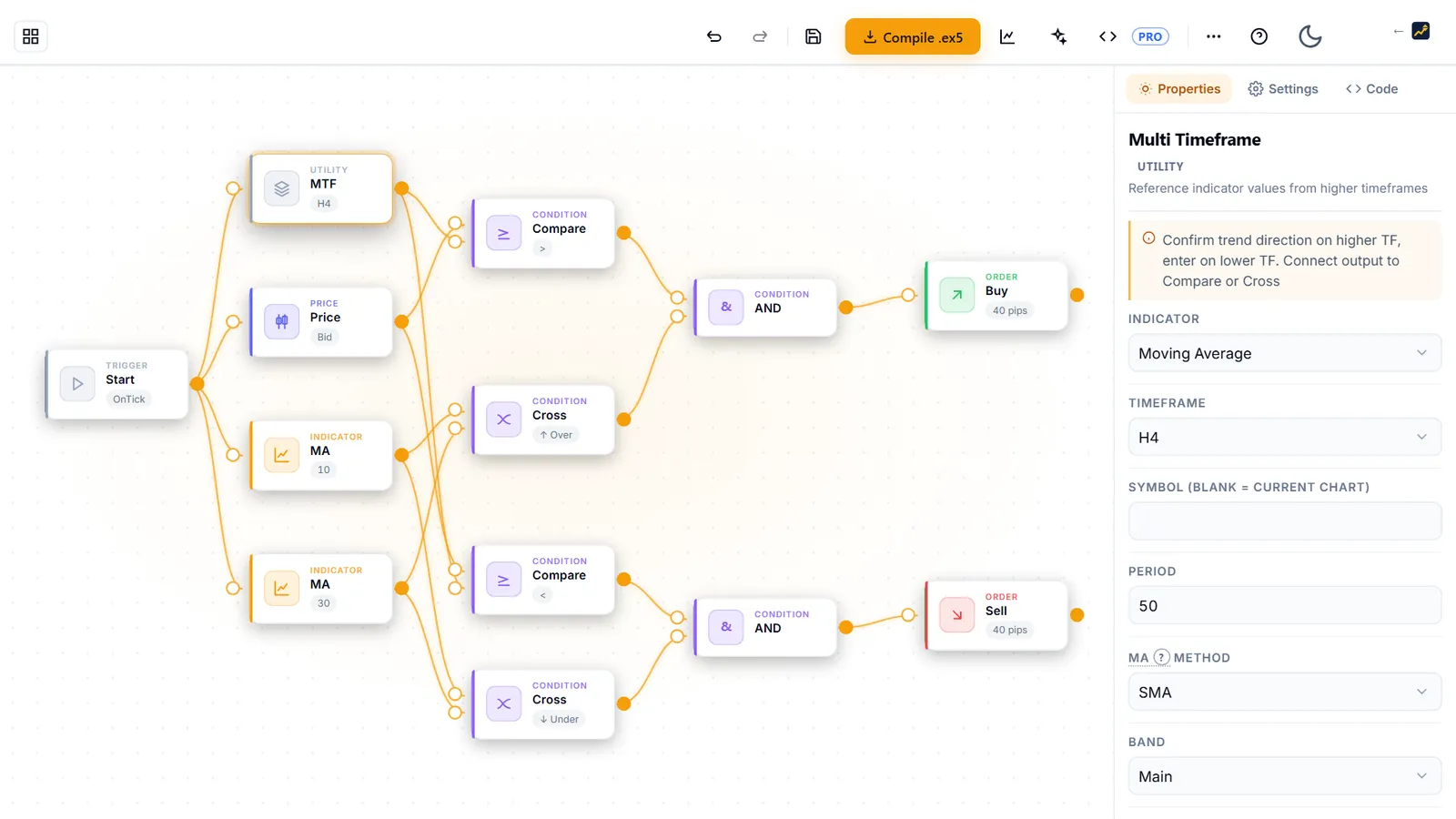
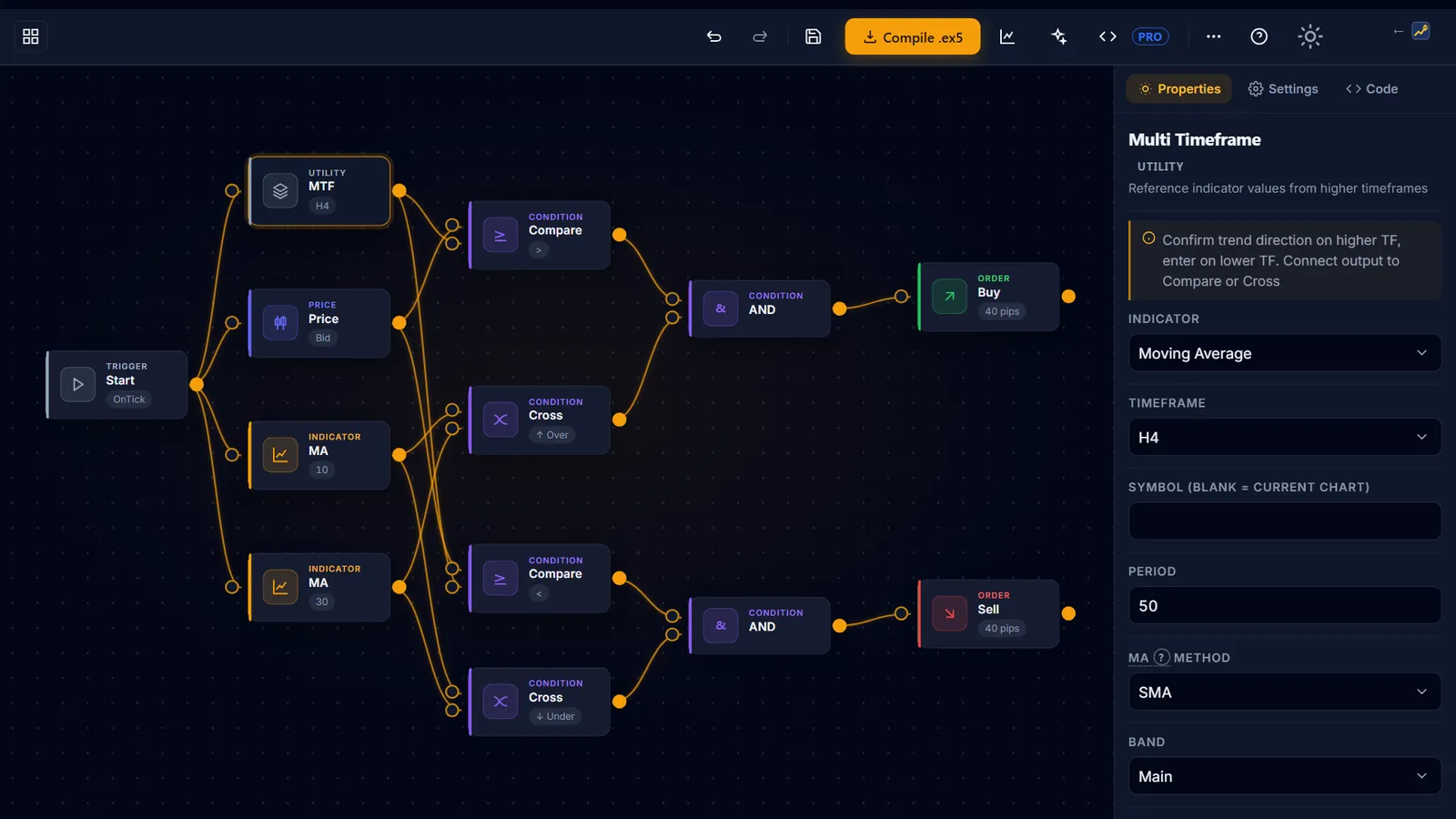
Lot size, leverage and equity decide how much margin a trade uses. AIStrategyMiner Builder lets you wire your entry and exit rules together as blocks and set the lot size, with no code.
- Choose a lot size you checked here, then compile a standard .ex5 file for MetaTrader 5.
Check the finished EA in MetaTrader 5 before you trust it. The numbers on this page come from what you typed; they are not a forecast of results.