Honest comparison
Looking for an EA Studio alternative?
AIStrategyMiner Builder and EA Studio both help you create a MetaTrader Expert Advisor without writing code, but they start from different places. EA Studio is a strategy generator: the machine mines historical data and hands you candidates. AIStrategyMiner Builder is a visual editor and code generator: you design the logic block by block, or let its Generate tool search block combinations in your browser — then open any result in the editor, edit it, and compile the MQL5. Which one fits depends on how much of the design you want to keep in your own hands.
EA Studio
Choose EA Studio if you want machine-generated strategies at scale, need MetaTrader 4 export, or want a built-in statistical validation suite — and are comfortable with a lifetime licence listed at €1,490.
AIStrategyMiner Builder
Choose AIStrategyMiner Builder if you have your own trading idea and want it turned into readable MQL5 source code, want to start designing on a free canvas, and prefer a simple visual workflow over a data-mining pipeline.
Neither tool trades for you. Both output code; profitability depends on the logic and on your own testing. Any comparison that promises more is marketing.
Side by side
AIStrategyMiner Builder vs EA Studio
| AIStrategyMiner Builder | EA Studio | |
|---|---|---|
Approach | Visual block editor — you design each entry, exit, and risk rule yourself, or use Generate to search block combinations in your browser and open a candidate in the editor | Strategy generator — the machine mines historical data and mass-produces candidate strategies |
What you get | Editable, commented MQL5 .mq5 source or a ready-to-run compiled .ex5 (both Pro) | Generated EAs exported as native MQL code for MetaTrader 4 and 5 (licence required to export) |
Platform | MetaTrader 5 | MetaTrader 4 and MetaTrader 5 |
Price | Free canvas and generator demo; Pro is a one-time $399 licence | Lifetime licence listed at €1,490 (bundles from €1,690) as of July 2026 |
Free to try | Yes — the canvas (blocks and templates) and the generator demo are free; compiling, MQL5 source and export are Pro | Free to test in the browser; exporting an EA requires a paid licence |
Validation tooling | Built-in strength test on historical data and a robustness matrix across major pairs; you confirm in the MT5 Strategy Tester on your broker's data | Built-in backtester, optimizer with out-of-sample testing, and Monte Carlo analysis |
Learning curve | Low — the blocks mirror the rule you already have in your head | Higher — a generator workflow plus the statistical discipline to filter thousands of candidates |
Best for | Turning your own trading idea — or a candidate from Generate — into code you can read and edit, starting on a free canvas | Data-mining strategies at scale when you don't have a specific idea to build |
EA Studio facts and prices are taken from the vendor's public product and purchase pages as of July 2026 and may change — always confirm current terms on their site. AIStrategyMiner pricing is on our pricing page.
Credit where due
What EA Studio genuinely does well
The honest trade-offs are the workflow and the licence.
The generator workflow
EA Studio (by Forex Software) is the established name in strategy generation, and the generator workflow is real engineering: it produces and backtests large numbers of candidate strategies in the browser, filters them through acceptance criteria, and ships validation tooling — an optimizer with out-of-sample testing and Monte Carlo analysis — that goes further than the Builder's lighter Generate tool.
MetaTrader 4 and 5 export
It also exports to both MetaTrader 4 and MetaTrader 5, which matters if you still run MT4.
Filtering discipline
Mass-generating strategies from historical data makes overfitting the central risk of the whole approach — the validation suite exists precisely because machine-mined strategies need aggressive filtering before any of them deserve real money. That filtering discipline is a skill you learn in place of MQL5.
Licence to export
And while you can test EA Studio for free, exporting an EA you can actually run requires the paid licence.
The alternative
Where AIStrategyMiner Builder takes the other path
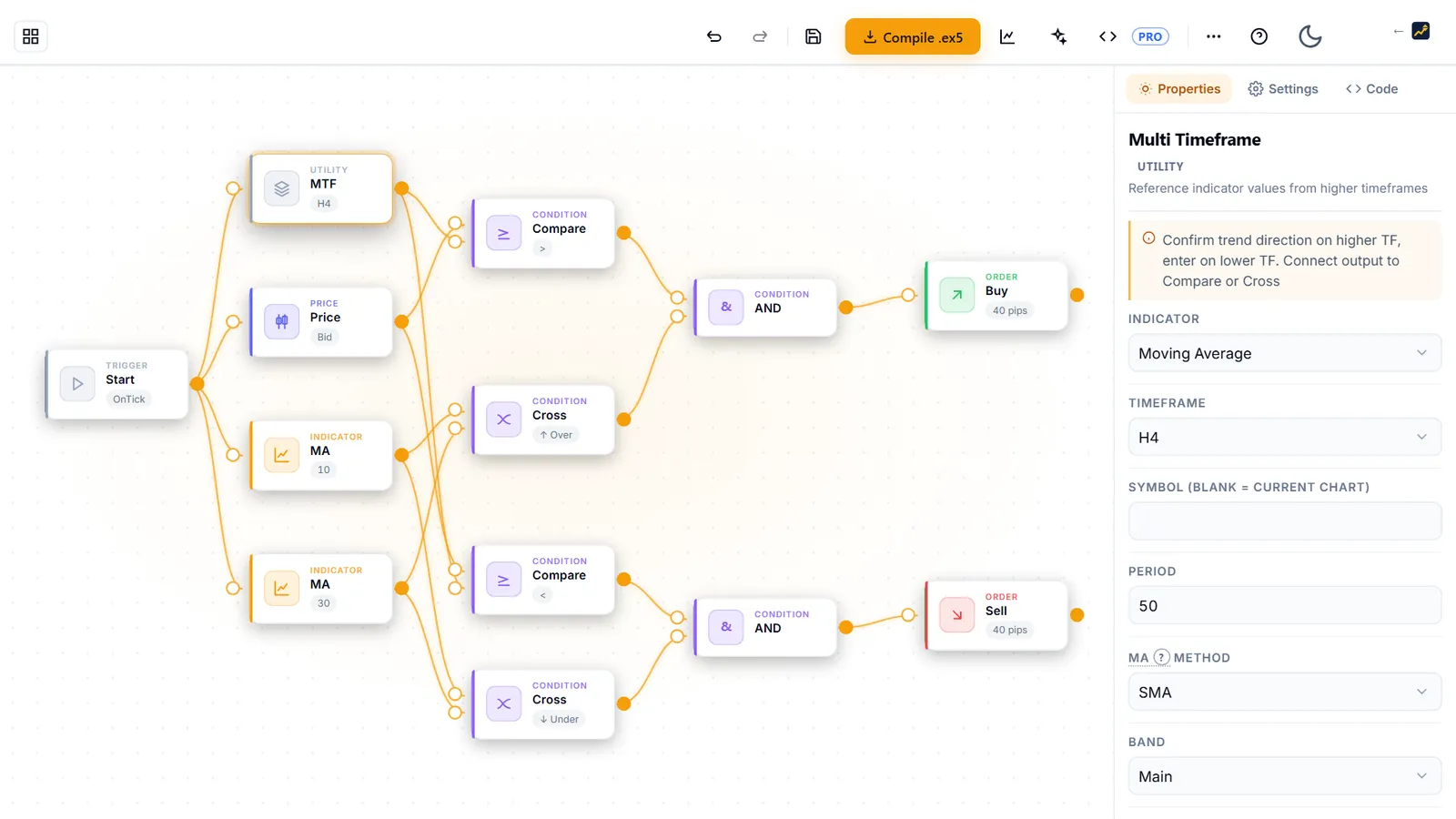
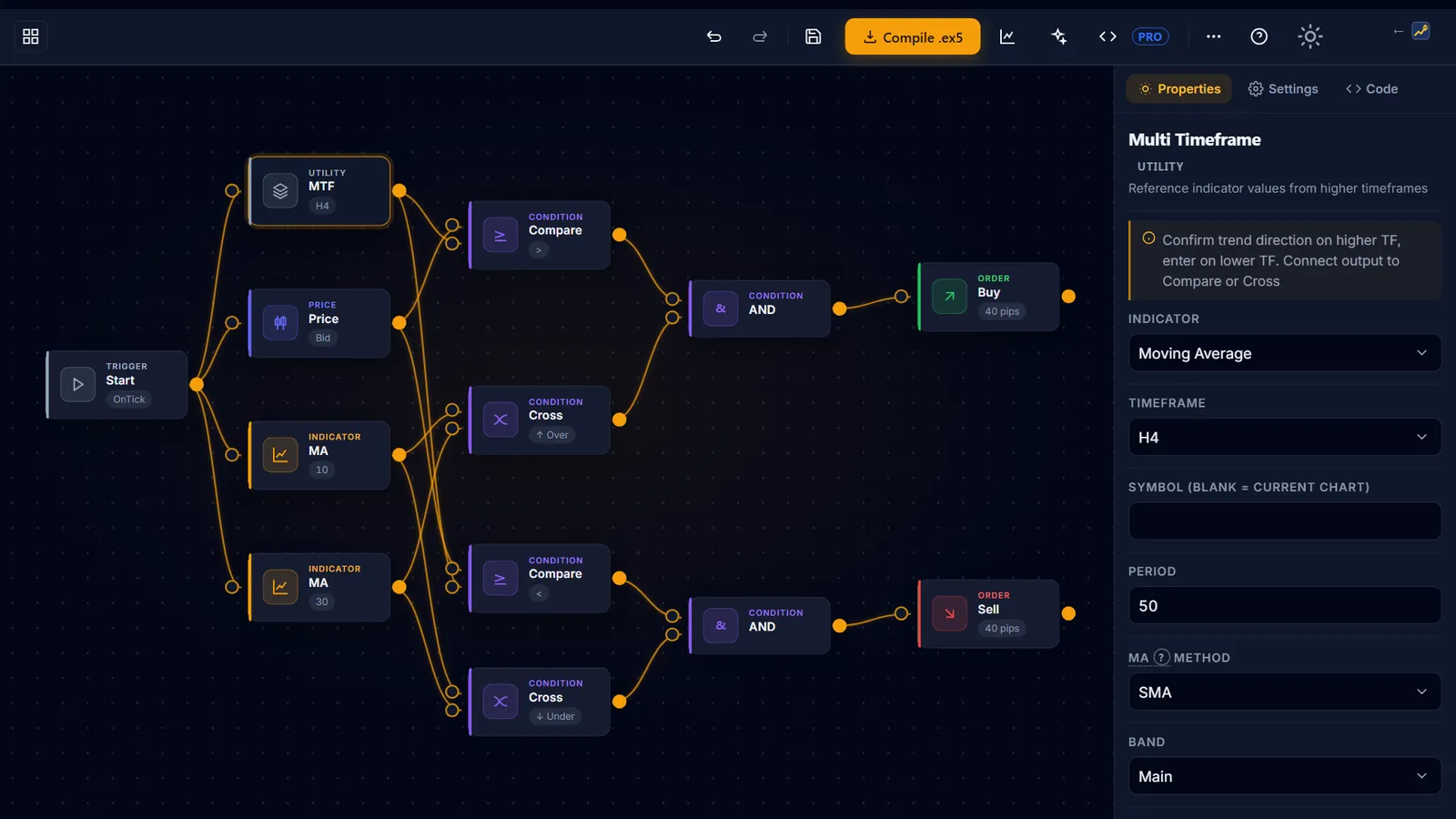
AIStrategyMiner Builder puts the design in your hands: you decide what each block does. You design entry conditions, exits, and risk rules — stop-loss, take-profit, break-even, trailing — as visual blocks, and the Builder generates the MetaTrader 5 EA from your design. If you do not have an idea yet, Generate searches combinations of Builder blocks and parameters in your browser; every candidate opens in the editor as ordinary blocks, so the EA still does exactly what its blocks say and you can reason about every trade it takes.
Three differences are structural rather than cosmetic.
A free canvas and generator demo
First, you can design and try before you pay — the canvas, every template and the generator demo are open to everyone, so you can judge the tool before buying.
Readable MQL5 source
Second, the Pro plan's output is readable, commented MQL5 source you can open in MetaEditor, modify, and version-control; when your logic eventually outgrows blocks, you migrate from code you own instead of starting over.
One-time entry price
Third, both are one-time licences, but the entry price differs by an order of magnitude — $399 here against a four-figure licence there — and the canvas and generator demo are free, so you can judge the tool before paying anything.
What the Builder does not do: run a full parameter optimizer or Monte Carlo analysis, or support MetaTrader 4. Its Generate tool is a lighter take on strategy generation: it searches on the first 70% of the chosen period, then keeps only candidates that also hold up on the last 30% and on six other pairs. That narrows the field but cannot rule out chance fits to past data. Nothing is sent to a server — the search runs in your browser. Its built-in strength test and robustness matrix are a first check, not a replacement for the MT5 Strategy Tester on your broker's own data. It is a no-code MQL5 code generator — a development tool, not a strategy factory. If you are new to building EAs entirely, the EA development guides walk the whole landscape, including when a dedicated generator is the better choice.
How it works
From idea to a tested EA in three steps
-
 1
1Design your logic visually
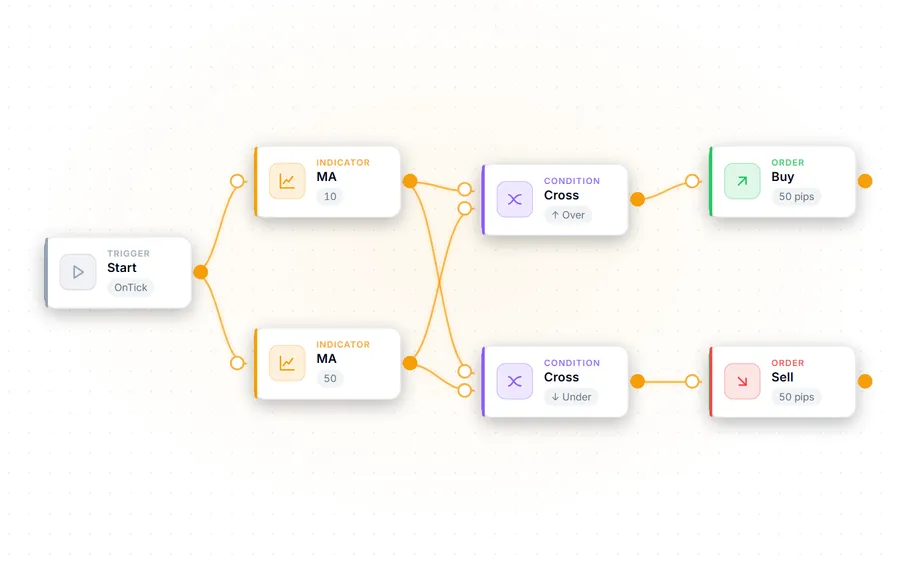
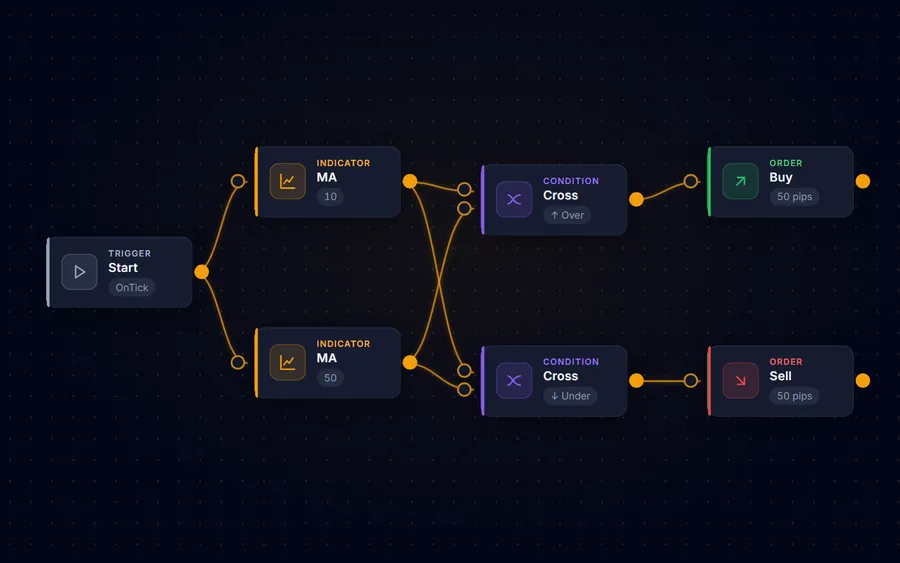
Drag and drop blocks — indicators, entry and exit conditions, risk rules — onto a canvas, or start from one of 12 strategy templates. Not sure where to start? Generate searches block combinations and parameters in your browser (nothing is sent to a server); open any candidate in the editor and change it. No MQL5 syntax to memorise.
-
 2
2Test it before you trust it
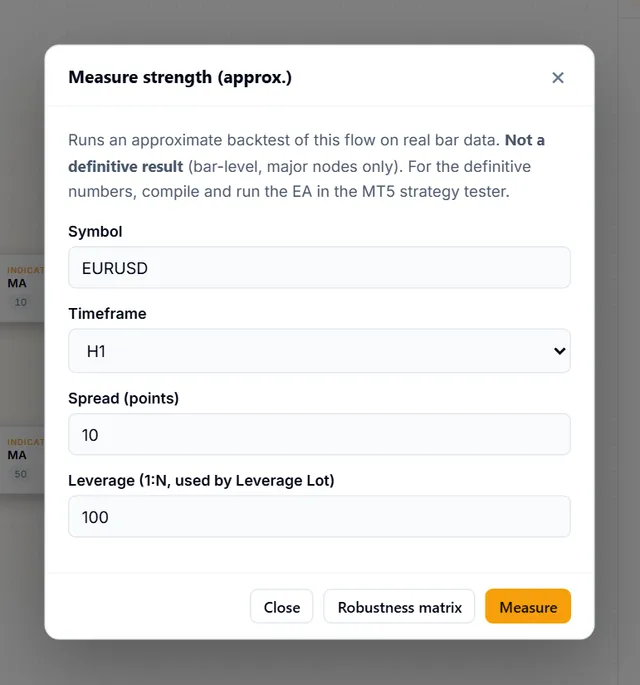
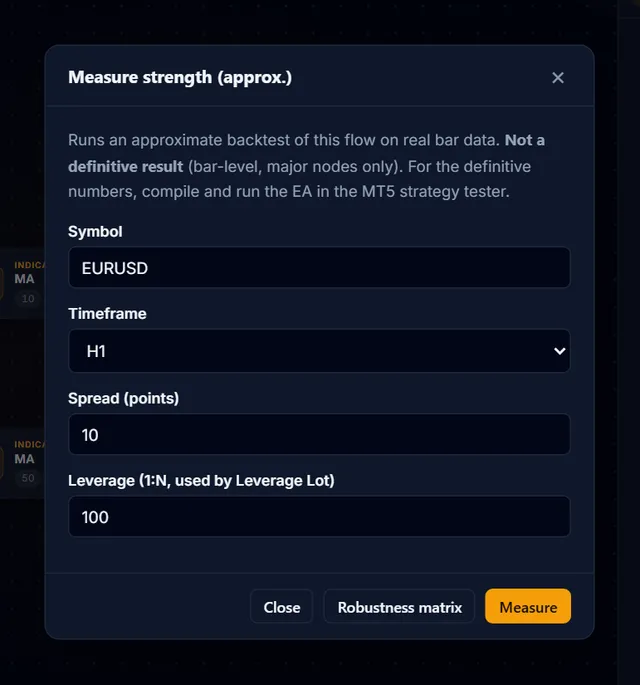
Run the built-in strength test on historical data and the robustness matrix across major pairs — directly in the browser, before anything touches your terminal.
-
 3
3Compile and take it with you
Compile to a ready-to-run .ex5 for MetaTrader 5, or download the editable MQL5 (.mq5) source — both with Pro. You decide what to do with what you build — the Builder never runs it for you.
Templates
Start from a working design
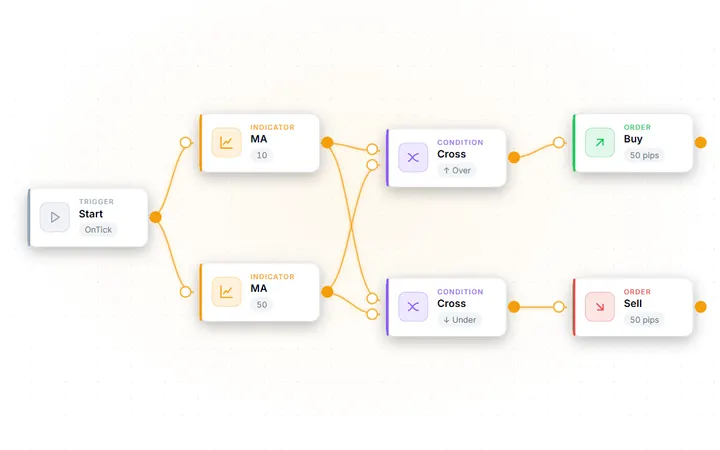
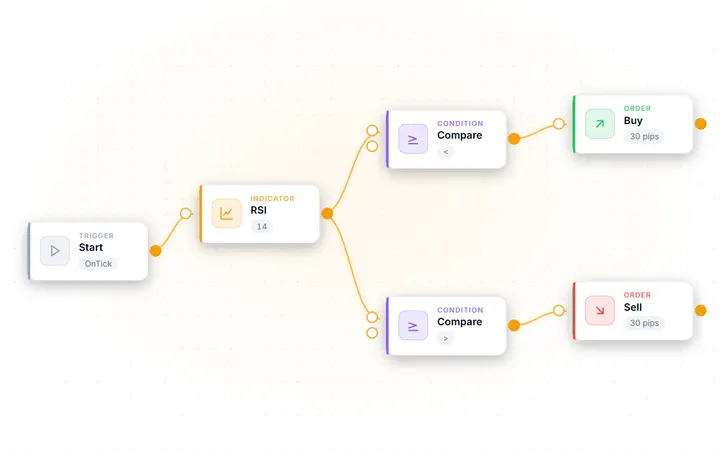
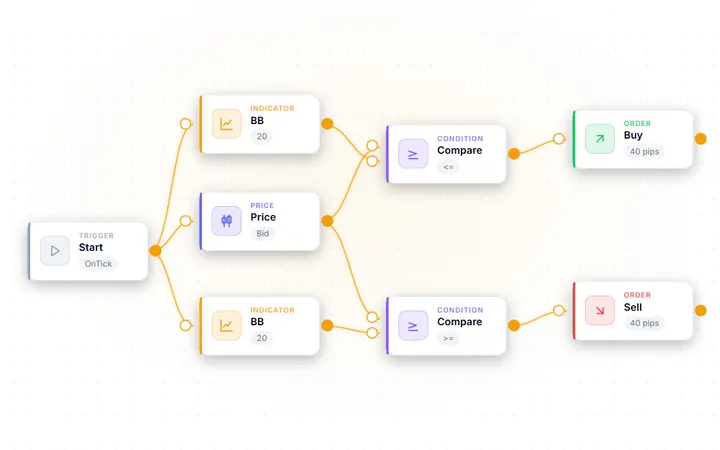
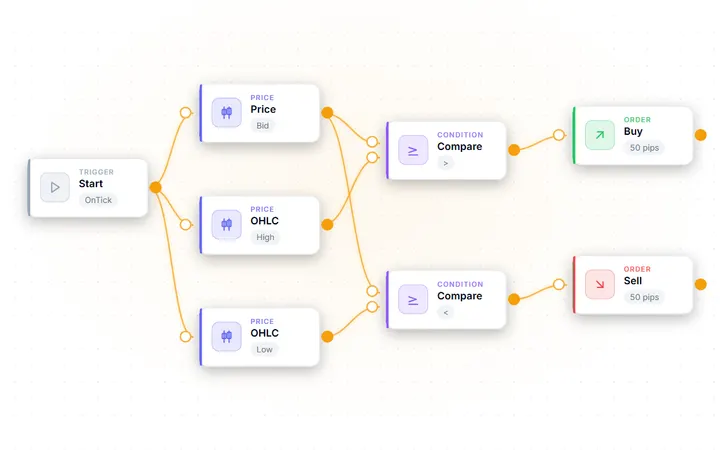
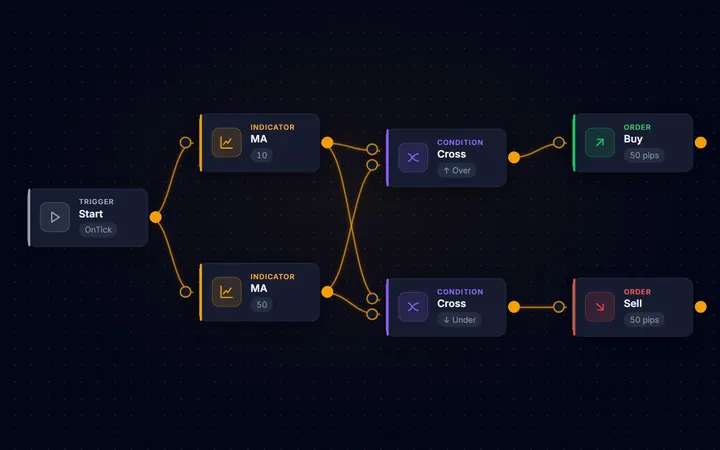
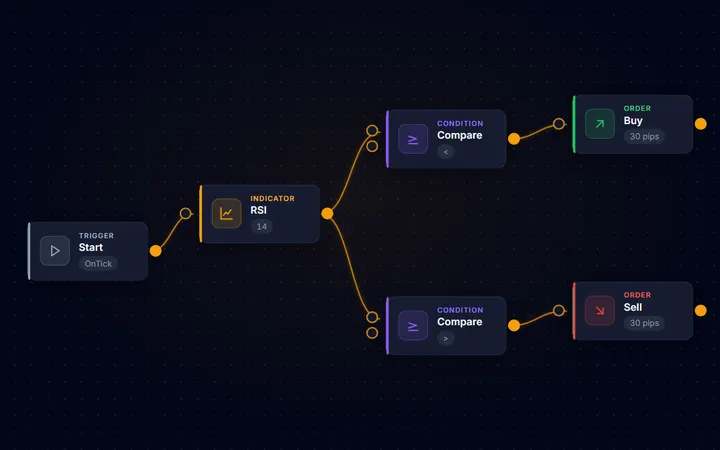
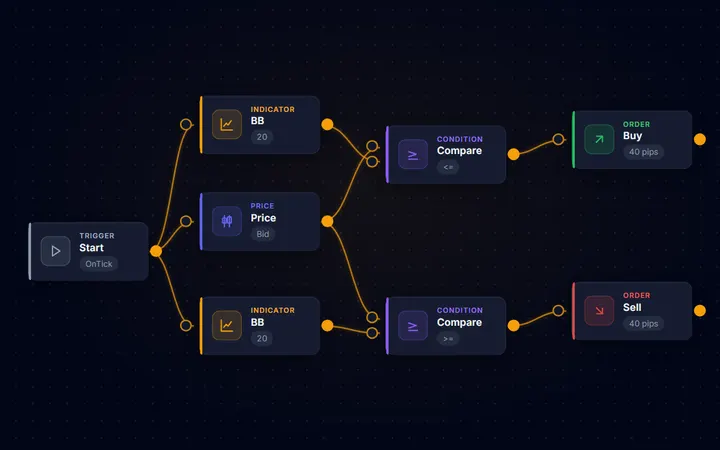
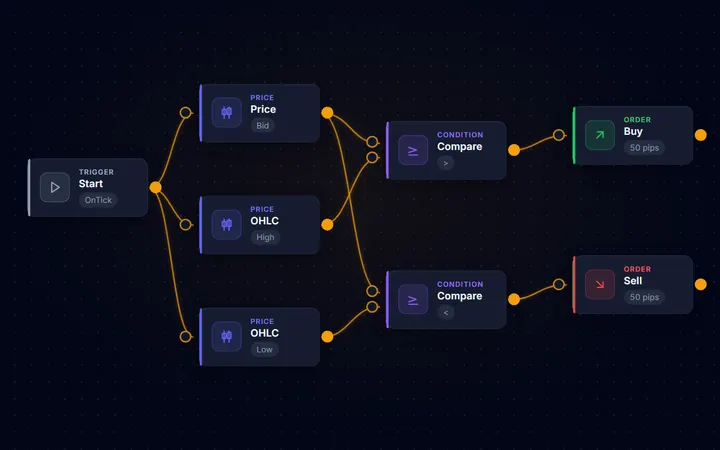
Every template opens as a complete block diagram — load one, run the strength test, then change the parts you want. A few of the 12 are shown here.
-
-
-
-
FAQ
Common questions
Is AIStrategyMiner Builder a replacement for EA Studio?
It depends on how you work. EA Studio is a strategy generator that mines historical data and mass-produces candidates, with a wider validation suite and MT4 export. AIStrategyMiner Builder is a visual editor and code generator: you design the logic block by block, or use its Generate tool to search block combinations in your browser, then open a candidate in the editor to edit and compile it. If you want generation at larger scale, EA Studio remains a fitting tool. If you want to edit what you get and read the MQL5 source (Pro), the Builder is the more direct path.
Can I use AIStrategyMiner Builder for free?
Partly. The canvas — building with blocks and opening templates — is free, and so is the generator demo (candidate counts and stage pass/fail). Compiling to .ex5, the MQL5 source and export need Pro — a one-time $399 licence.
Does AIStrategyMiner Builder support MetaTrader 4?
No — the Builder generates MQL5 for MetaTrader 5 only. If you need MT4 EAs, EA Studio's dual MT4/MT5 export is a genuine advantage.
Which tool produces more profitable EAs?
Neither tool can promise profitability — anyone who tells you otherwise is selling something. A generator finds strategies that fit past data, which makes overfitting the central risk to manage; a builder codes the strategy you designed, which is only as good as your idea. In both cases the backtest is a hypothesis that your own forward testing has to confirm.
Build your first EA — free
Design your logic in the visual editor for free; Pro compiles it to an MT5 EA and gives you the editable MQL5 source.
Risk Warning: Trading CFDs and derivative instruments involves significant risk and is not suitable for all investors. Source code you generate with the Builder is provided as a development tool only; you are solely responsible for testing it and for any trading decisions. Past performance is not a reliable indicator of future results. The Service is not directed at residents of the United States or other Restricted Jurisdictions. EA Studio is a product of Forex Software Ltd; AIStrategyMiner is not affiliated with, endorsed by, or sponsored by Forex Software Ltd. All trademarks are the property of their respective owners.